CoCounsel: Complete Guide to AI-Powered Legal Research Tool
Learn about CoCounsel, the AI legal assistant from Casetext, its features, Thomson Reuters acquisition, and how it compares to Westlaw and Lexis.
TL;DR
CoCounsel, owned by Casetext and recently acquired by Thomson Reuters, is a cutting-edge AI legal assistant revolutionizing legal research and document review. By leveraging GPT-4 technology, this tool offers robust features like legal research, document review, and contract analysis, providing law firms with a faster, more efficient workflow compared to traditional tools like Westlaw and Lexis.
CoCounsel Overview
Before delving into the specifics, let’s explore a high-level overview of how CoCounsel fits into the legal tech landscape.

What is CoCounsel?
CoCounsel is a state-of-the-art AI legal assistant developed by Casetext, designed to streamline legal research and document review processes for law firms. Utilizing GPT-4 technology, CoCounsel expedites legal tasks, transforming how lawyers approach case law. The acquisition of Casetext by Thomson Reuters for $650 million in August 2023 highlights the unprecedented importance of legal AI tools in transforming legal tech today. Reuters reported on this significant development.
Key Features of CoCounsel
CoCounsel provides several essential features that redefine law firm technology:
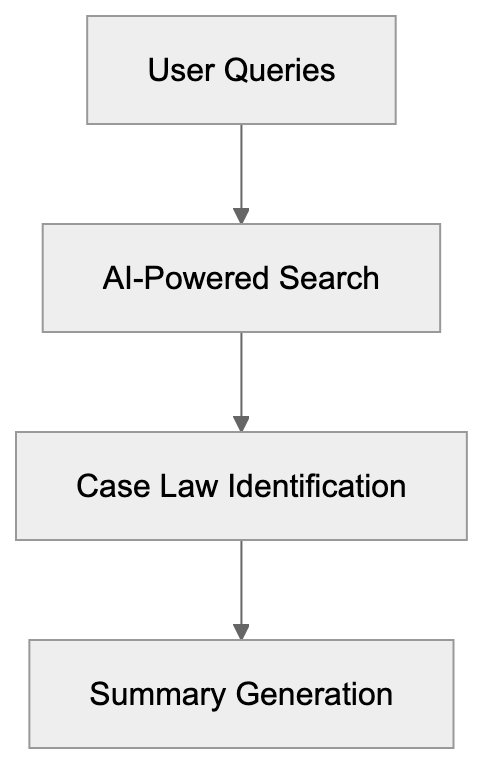
- Legal Research Assistant
- Efficiently searches through extensive case law databases.
- Identifies relevant legal precedents quickly.
- Generates concise case law summaries.
Legal Research Assistant Process
To understand the efficiency of CoCounsel’s research functionality, consider the following workflow:
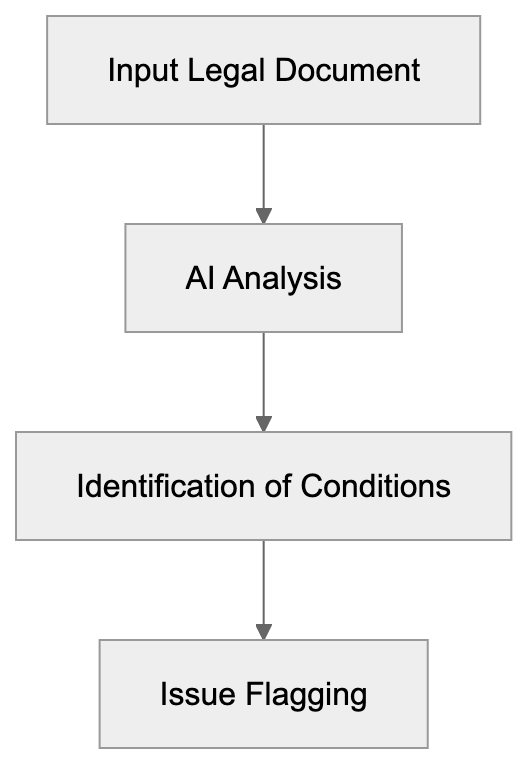
 2. Document Review
- Analyzes contracts and legal documents with precision.
- Identifies pertinent terms and conditions.
- Flags potential legal issues proactively.
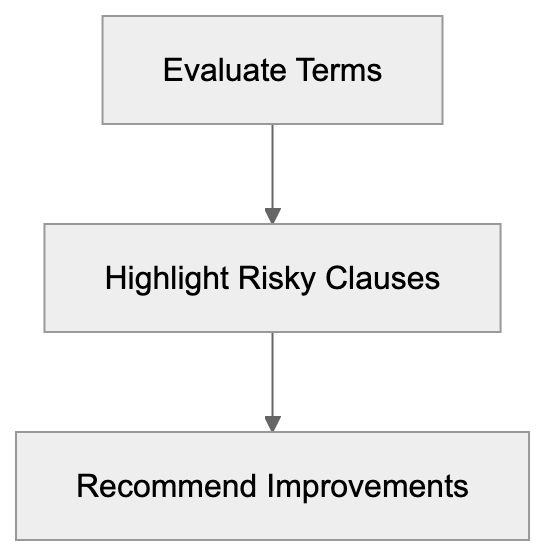
- Contract Analysis
- Evaluates contracts for missing clauses.
- Highlights risky terms effectively.
- Recommends improved contract language.
How CoCounsel Works
CoCounsel seamlessly connects to expansive legal databases, making it an indispensable legal AI assistant. When lawyers input inquiries, the tool leverages GPT-4 technology to comprehend legal questions and deliver relevant case laws and regulations effortlessly.
Document Review Workflow
Examine how CoCounsel manages document review within legal processes:
The streamlined workflow includes:
- Lawyer inputs a legal query.
- CoCounsel searches its comprehensive database.
- The tool presents pertinent cases and statutes.
- Lawyer evaluates the search results.
Thomson Reuters Acquisition
The acquisition of Casetext by Thomson Reuters, valued at $650 million, underscores the critical nature of AI tools in legal research. This move promises significant advancements:
Contract Analysis Process
The contract analysis feature can be understood through its streamlined steps:
- Increased resources for CoCounsel’s ongoing development.
- Enhanced integration with Thomson Reuters’ extensive legal research tools.
- Access to Thomson Reuters’ vast legal database, expanding CoCounsel’s capabilities.
Comparison with Competitors
How does CoCounsel stack up against traditional legal research tools like Westlaw and Lexis? Let’s compare:
-
Westlaw:
- Long-established, comprehensive platform.
- Extensive case law database.
- Higher cost and fewer AI-centric features.
-
Lexis:
- Preferred for complex searches.
- Steeper learning curve.
- Less emphasis on AI technologies.
-
CoCounsel:
- AI-first, modern approach.
- User-friendly interface.
- Rapid research turnaround.
- Built with advanced GPT-4 technology.
Thomson Reuters and CoCounsel Integration
With the acquisition, new possibilities emerge for CoCounsel:

Pricing and Plans
CoCounsel operates on a flexible subscription model, tailored to suit:
- Number of users involved.
- Specific features required.
- The law firm’s size and scale.
For exact pricing, law firms should contact Casetext. Options available include:
- Team plans.
- Enterprise solutions.
- Custom configurations.
Benefits for Law Firms
Leveraging CoCounsel in law firms offers multifaceted benefits:
Competitive Comparison
Understanding CoCounsel’s distinctive advantages is simplified through comparison.

-
Time Savings
- Accelerated legal research.
- Swift document reviews.
- Automated contract analysis.
-
Improved Accuracy
- Minimization of human errors.
- Consistently reliable results.
- Exhaustive searches.
-
Cost Efficiency
- Decreased research time.
- Reduced labor costs.
- Streamlined workflows.
Technical Requirements
To deploy CoCounsel, law firms need:
- Reliable internet connection.
- A compatible web browser.
- An active subscription.
- User accounts for access.
Technical Deployment
Deploying CoCounsel requires straightforward technical steps:
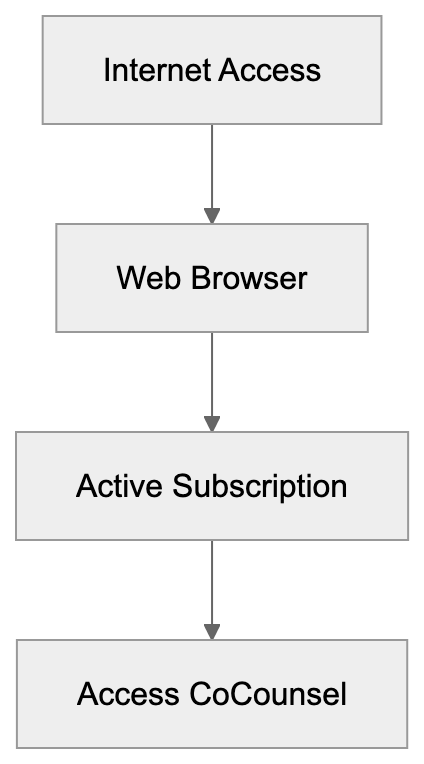 The tool is compatible with most modern browsers, requiring no specialized software installation.
Security and Privacy
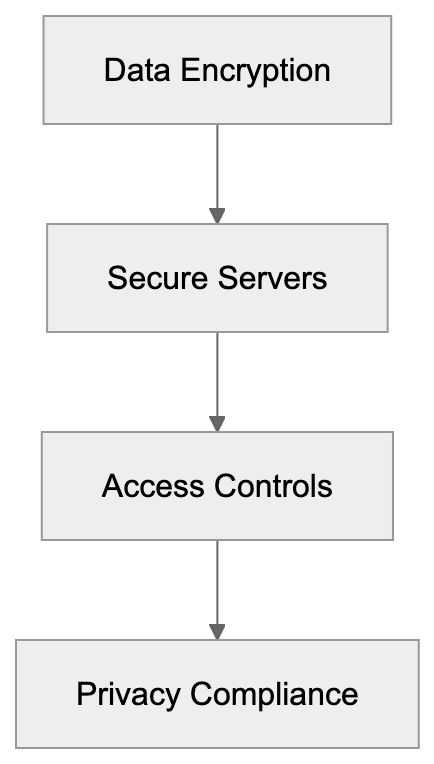
CoCounsel upholds stringent security measures:
- Data encryption to protect client information.
- Use of secure servers.
- Robust access controls.
- Regular software updates.
The tool adheres to legal industry privacy standards, ensuring client data remains confidential and protected.
Security Protocols
CoCounsel maintains rigorous security standards.
Conclusion
CoCounsel is at the forefront of revolutionizing legal research through AI technology, enabling law professionals to work more efficiently and effectively. The acquisition by Thomson Reuters signifies its pivotal role in legal tech, offering powerful features that cater to modern legal practices.
Key takeaways include:
- Advanced AI legal assistant capabilities.
- Acquired by Thomson Reuters.
- Comprehensive coverage across all US states.
- Effective in legal research and document handling.
- A modern alternative to traditional tools.
Law firms eager to integrate AI should consider CoCounsel for its comprehensive features and ongoing enhancements under Thomson Reuters’ stewardship.
FAQ
What is CoCounsel? CoCounsel is an AI legal assistant by Casetext, focusing on legal research and document review with enhanced AI capabilities.
How does CoCounsel compare to Westlaw and Lexis? CoCounsel offers a modern, AI-driven solution with a user-friendly interface that speeds up research, unlike the more traditional, complex tools offered by Westlaw and Lexis.
What are the benefits of using CoCounsel in a law firm? Law firms benefit from reduced research time, improved accuracy, cost efficiency, and comprehensive access to legal information with CoCounsel.
What technical requirements are necessary to use CoCounsel? A stable internet connection, a modern web browser, and an active subscription are needed. The tool is accessible without any special software installations.
How secure is CoCounsel in terms of data protection? CoCounsel ensures data protection through encryption, secure servers, access controls, and adherence to legal privacy standards.
Frequently Asked Questions
How can I get a demo of CoCounsel?
To schedule a demo of CoCounsel, law firms should contact Casetext directly through their website. A representative can provide an overview of the tool's features and functionalities tailored to your firm's needs.
Is CoCounsel suitable for solo practitioners as well as larger firms?
Yes, CoCounsel's flexible subscription model makes it suitable for both solo practitioners and large law firms. Plans can be customized based on the number of users and necessary features, ensuring accessibility for various practice sizes.
What types of documents can CoCounsel analyze?
CoCounsel is designed to analyze various legal documents, including contracts, briefs, and court filings. It identifies key terms and potential legal issues, providing insights to enhance document quality and compliance.
How does CoCounsel ensure the accuracy of its research results?
CoCounsel leverages advanced GPT-4 technology to process inquiries and deliver relevant legal precedents. Continuous updates and access to a vast legal database enhance its accuracy, minimizing reliance on outdated or incorrect information.
Can CoCounsel be integrated with other legal software?
Yes, post-acquisition by Thomson Reuters, CoCounsel is expected to offer enhanced integration capabilities with other legal research tools and platforms, improving its utility within existing workflows for legal professionals.
What support options are available for using CoCounsel?
Casetext offers customer support and resources to help firms troubleshoot issues and optimize their use of CoCounsel. Users can access online help, tutorials, and direct support from the Casetext team as needed.
Are there trial options available for new users?
New users are encouraged to inquire about any available trials or introductory offers by contacting Casetext. This allows firms to assess CoCounsel's suitability before committing to a subscription.
Track Your AI Visibility
See how AI chatbots like ChatGPT, Claude, and Perplexity discover and recommend your brand.