Coveo: Complete Guide to AI-Powered Enterprise Search in 2024
Learn how Coveo's AI search platform helps enterprises deliver personalized search experiences across commerce, workplace and customer service.
What is Coveo and How Does it Work?
Coveo System Overview
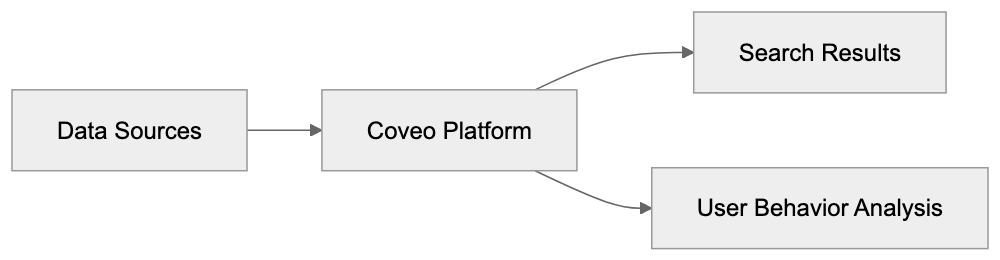
Coveo is an AI search platform tailored for large companies. It connects to many data sources like:
- Company websites
- Online stores
- Support documents
- Internal files
- Knowledge bases
- CRM systems
AI Search Process
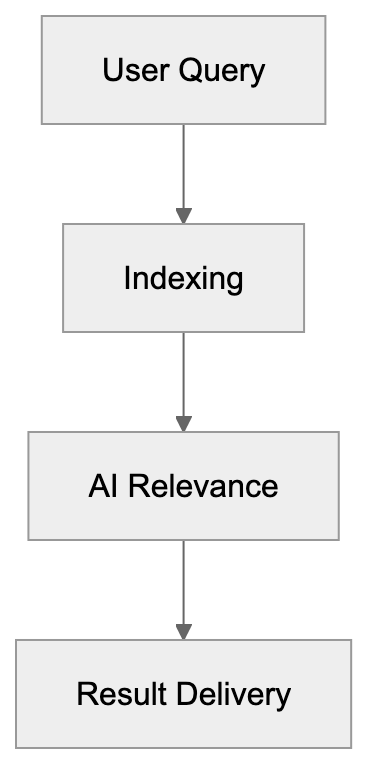
The platform indexes all this content, providing a unified index that consolidates information from various sources. When someone searches, Coveo uses AI to find the most relevant results by considering factors like:
- Previous searches
- Clicked results
- Location and language
- Role in the company
- Time of day and device used
Key Features and Capabilities

Coveo boasts various features for diverse use cases:
Search Features:
- Smart ranking of results
- Typo correction
- Search suggestions
- Filtering options
- Mobile search support
AI Features:
-
User behavior tracking
-
Personalized results
-
Automated relevance tuning
-
Query suggestions
-
Content recommendations
Integration Features:
-
Works with 50+ data sources
-
API access
-
Ready connectors for common systems
-
Security settings
-
Usage analytics

Main Use Cases
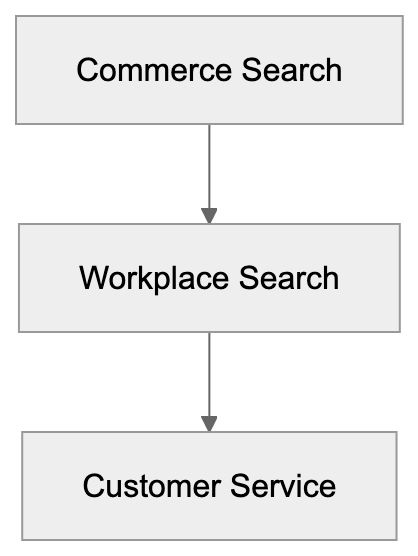
Companies use Coveo in key areas:
Commerce Search:
- Product search on online stores
- Smart product recommendations
- Category navigation


- Search analytics for merchants
Workplace Search:
- Internal document search
- Knowledge base search
- Employee self-service
- Expertise finding
Customer Service:
- Help center search
- Case deflection
- Agent assistance
- Support portal search
Integration with Other Systems
Implementation Process
Coveo integrates seamlessly with popular business systems:
Salesforce Integration:
- Native Salesforce app
- Works in Service Cloud
- Searches Salesforce records
- Shows results in Salesforce UI
Other Common Integrations:
- ServiceNow
- Microsoft 365
- SharePoint
- Zendesk
- Sitecore
- Adobe Experience Manager
Comparison with Competitors
How Coveo compares to other tools:
Coveo vs Glean:
- Coveo focuses more on customer-facing search
- Glean specializes in workplace search
- Coveo offers more commerce features
- Glean excels in desktop search
Coveo vs Algolia:
- Coveo targets larger enterprises
- Algolia suits smaller companies
- Coveo offers more AI features
- Algolia is easier to set up
Pricing Structure
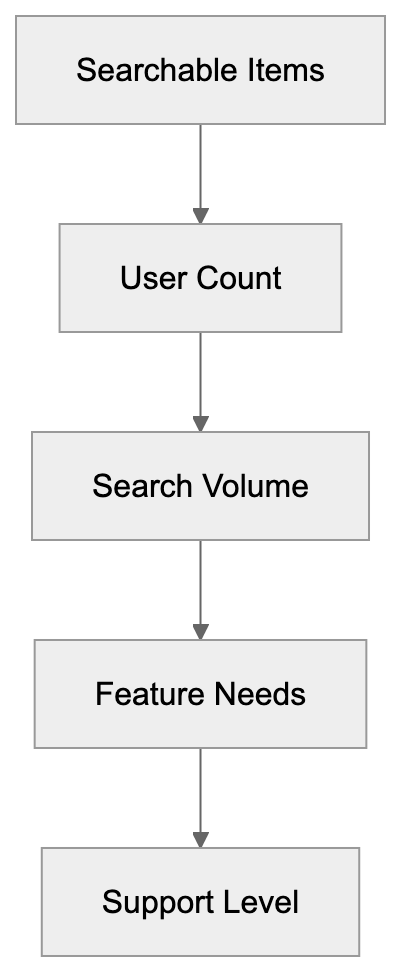
Coveo employs enterprise pricing with custom quotes, offering flexible and scalable solutions tailored to organizational needs. Pricing depends on:
- Number of searchable items
- Number of users
- Search volume
- Features needed
- Support level
Typical costs start at $10,000 per year for basic setups, with larger organizations investing more based on their requirements. Large companies may pay $100,000+ yearly.
Implementation Process
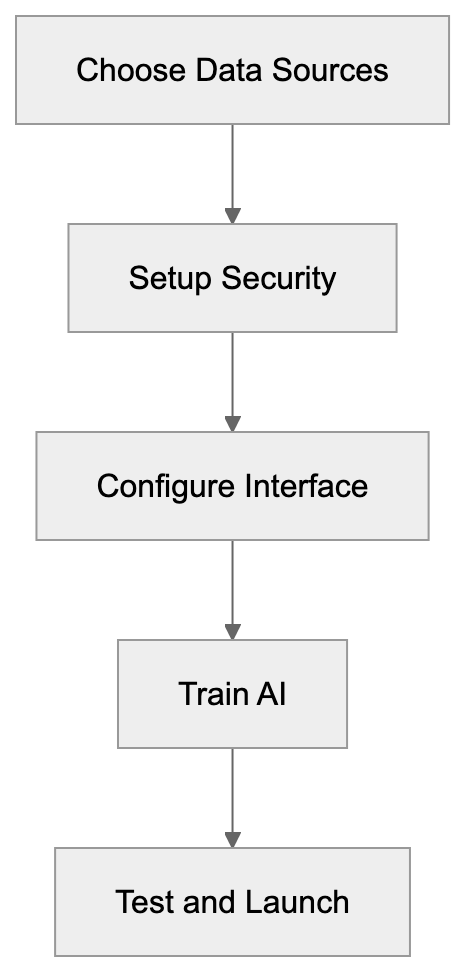
Steps to set up Coveo:
- Pick data sources to connect
- Set up security and access rules
- Configure search interface
- Train the AI system
- Test search results
- Launch to users
- Monitor and optimize
Most companies need 2-6 months for a full setup, depending on the complexity of their data sources and integration requirements. Technical skills are essential for good results, as proper setup and ongoing management are critical for maximizing the platform’s potential.
Conclusion
Coveo is a strong choice for large companies needing smart search. It excels in commerce, workplace, and service use cases. The AI features enhance search personalization and deliver relevant results. Proper setup and ongoing management are critical.
The platform costs more than basic search tools and requires technical knowledge, making it suitable for organizations with complex search needs. Companies should verify they need all features before purchasing, ensuring alignment with their specific requirements. For large organizations with complex search needs, investing in Coveo can be worthwhile, as it offers advanced AI-powered search capabilities.
Key takeaways:
- Strong AI-powered enterprise search platform
- Ideal for large enterprises
- Works across many data sources
- Requires technical setup
- Higher cost than basic tools
Frequently Asked Questions
What types of businesses are best suited for Coveo?
Coveo is particularly well-suited for large enterprises that require robust search solutions across multiple data sources. Businesses engaged in e-commerce, internal documentation, or customer service can greatly benefit from its AI-powered capabilities.
How does Coveo ensure the relevance of search results?
Coveo utilizes AI algorithms that assess various factors like user behavior, search history, and contextual information to rank search results. Additionally, the system continuously learns from user interactions to improve relevance over time.
Can Coveo integrate with existing CRM systems?
Yes, Coveo can integrate with various popular CRM systems, including Salesforce. This allows businesses to leverage CRM data and enhance search functionalities directly within their existing workflows.
What is the typical implementation timeline for Coveo?
Implementing Coveo typically takes between 2 to 6 months, depending on the complexity of the data sources and the level of customization required. Businesses should plan for thorough testing and optimization during this period.
What kind of technical expertise is required for setup?
Setting up Coveo requires technical skills, particularly in handling API integrations and configuring security settings. Companies should consider involving IT specialists or consulting services for effective implementation.
What is the pricing model for Coveo?
Coveo follows an enterprise pricing structure that is customized based on various factors, including the number of searchable items and users. Pricing typically starts around $10,000 per year, but larger organizations may invest significantly more.
Are there any limitations to using Coveo?
While Coveo offers a powerful search platform, it is designed for larger organizations with complex needs. Smaller businesses might find the features overwhelming or unnecessary, and it comes with a higher cost compared to basic search tools.
Track Your AI Visibility
See how AI chatbots like ChatGPT, Claude, and Perplexity discover and recommend your brand.