Complete HTML Meta Tags Cheat Sheet for SEO and Social Media
Your ultimate reference guide to all essential HTML meta tags for SEO and social media. Copy-paste ready code snippets with examples.
Table of Contents
- What Are HTML Meta Tags and Why They Matter
- Essential SEO Meta Tags
- Open Graph Meta Tags for Facebook and LinkedIn
- Twitter Card Meta Tags
- Advanced and Technical Meta Tags
- Comparison of Meta Tag Frameworks and Validators
- Complete Meta Tags Reference Template
- Common Meta Tag Mistakes to Avoid
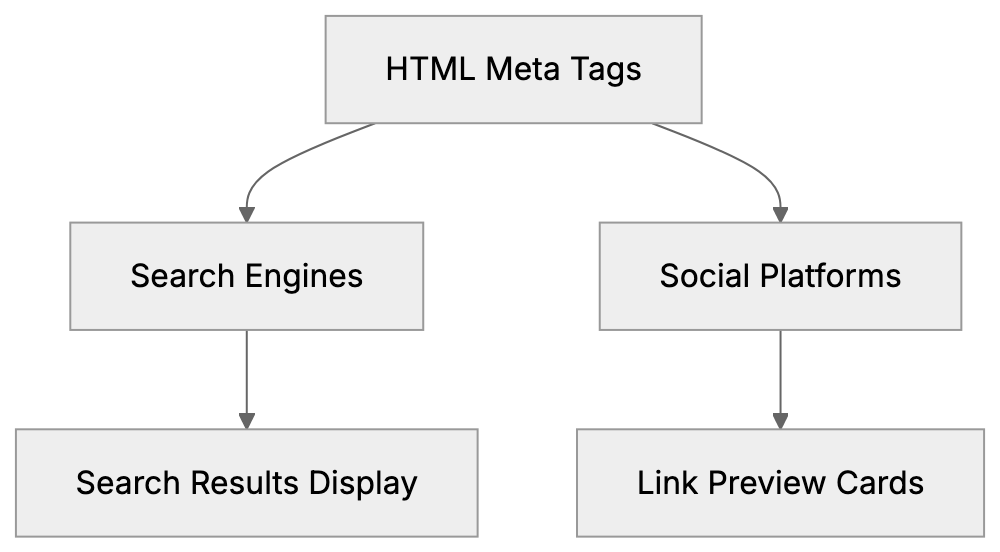
- How Search Engines and Social Platforms Use Meta Tags
- End
- What Are HTML Meta Tags and Why They Matter
- Essential SEO Meta Tags
- Open Graph Meta Tags for Facebook and LinkedIn
- Twitter Card Meta Tags
- Advanced and Technical Meta Tags
- Comparison of Meta Tag Frameworks and Validators
- Complete Meta Tags Reference Template
- Common Meta Tag Mistakes to Avoid
- How Search Engines and Social Platforms Use Meta Tags
- End
What Are HTML Meta Tags and Why They Matter
Meta tags are snippets of code placed in the head section of your HTML document. They provide structured metadata about a webpage, informing search engines and social media platforms about your page’s content. Without proper meta tags, your content might not display correctly in search results or when someone shares your link on Facebook or Twitter.
Think of meta tags as instructions for robots and crawlers. When Google visits your site, it reads these tags to better understand your content. When someone shares your link on LinkedIn, the platform checks specific meta tags to grab the right image and description.
Web developers and SEO experts need a solid HTML meta tags list because there are dozens of different tags. Some affect search rankings, while others control how your content appears on social platforms. Marketing professionals use social media meta tags to make their links look professional and clickable.
How Meta Tags Work:
This meta tags cheat sheet covers all the important tags you need, from basic SEO meta tags to advanced Open Graph properties. Everything with copy-paste ready examples.
Essential SEO Meta Tags
The most basic meta tags control how search engines index and display your pages. These SEO meta tags are the foundation of on-page improvement.
The title tag is technically not a meta tag, but it’s important. It appears in search results as the clickable headline. Keep it under 60 characters, or Google will cut it off.
<title>Your Page Title Here - Brand Name</title>The meta description tag shows up as the snippet text below your title in search results. Google recommends keeping it between 150 and 160 characters. This tag doesn’t directly affect rankings but influences click-through rates.
<meta name="description" content="Clear description of what users will find on this page. Make it compelling to increase clicks.">The charset meta tag tells browsers what character encoding to use. UTF-8 supports almost all languages and symbols.
<meta charset="UTF-8">The viewport meta tag makes your site responsive on mobile devices. Without it, your site might look broken on phones.
<meta name="viewport" content="width=device-width, initial-scale=1.0">The robots meta tag controls how search engines crawl and index your page. You can tell them to index or not index, follow or not follow links.
<meta name="robots" content="index, follow">
<meta name="robots" content="noindex, nofollow">
The canonical tag prevents duplicate content issues. It tells search engines which version of a page is the main one.
<link rel="canonical" href="https://example.com/preferred-url/">Open Graph Meta Tags for Facebook and LinkedIn
Open Graph tags were created by Facebook but now work across many social platforms. These social media meta tags control how your links appear when shared on Facebook, LinkedIn, and other networks.
The basic Open Graph tags include title, type, image, and URL. Without these, your shared links might show no image or pull random text from your page.
<meta property="og:title" content="Title for Social Media Share">
<meta property="og:type" content="website">
<meta property="og:url" content="https://example.com/page-url/">
<meta property="og:image" content="https://example.com/image.jpg">
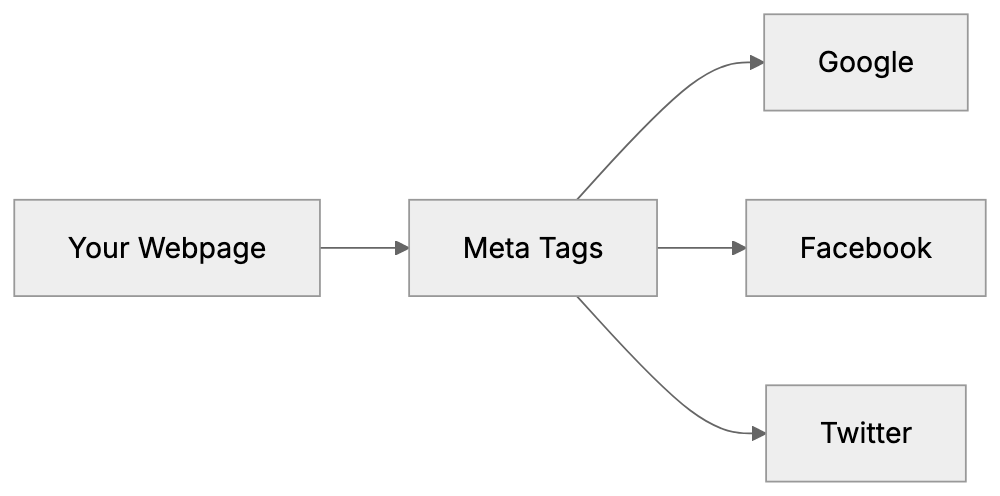
Meta Tag Processing by Platform:
The og:description tag works like the meta description, but specifically for social shares. You can make it different from your SEO description to better fit social contexts.
<meta property="og:description" content="Description that appears when someone shares your link on social media platforms.">For the og:image tag, use images at least 1200 x 630 pixels. Facebook recommends this size for best display across devices. Smaller images might look pixelated or get cropped oddly.
<meta property="og:image" content="https://example.com/image.jpg">
<meta property="og:image:width" content="1200">
<meta property="og:image:height" content="630">
<meta property="og:image:alt" content="Description of the image">
The og:site_name tag shows your brand name separately from the page title.
<meta property="og:site_name" content="Your Brand Name">For articles and blog posts, use these additional tags:
<meta property="og:type" content="article">
<meta property="article:published_time" content="2024-01-15T09:00:00+00:00">
<meta property="article:author" content="Author Name">
<meta property="article:section" content="Technology">
Twitter Card Meta Tags
Twitter uses its own set of meta tags called Twitter Cards. These tags work similarly to Open Graph, but with different property names. If you only include Open Graph tags, Twitter will use those as fallback, but using dedicated Twitter tags gives you more control.
The twitter:card tag defines the card type. Summary card shows a small image while summary large image shows a big image.
<meta name="twitter:card" content="summary_large_image">
<meta name="twitter:site" content="@yourtwitterhandle">
<meta name="twitter:creator" content="@authorhandle">
Twitter-specific content tags:
<meta name="twitter:title" content="Title for Twitter Share">
<meta name="twitter:description" content="Description for Twitter share up to 200 characters works best.">
<meta name="twitter:image" content="https://example.com/twitter-image.jpg">
<meta name="twitter:image:alt" content="Image description for accessibility">
For Twitter images, use at least 1200 x 628 pixels for summary_large_image cards. For regular summary cards, use 120 x 120 pixels minimum.
The four Twitter card types are:
- summary: small square image with title and description
- summary_large_image: large rectangular image
- app: mobile app download card
- player: video or audio player card
Advanced and Technical Meta Tags
Beyond basic SEO meta tags and social media meta tags, there are many technical tags that serve specific purposes.
The language tag tells browsers and search engines what language your content is in.
<meta http-equiv="content-language" content="en-US">Or use the HTML lang attribute:
<html lang="en">The author tag specifies who wrote the content.
<meta name="author" content="Author Name">The generator tag shows what software created the page. Content management systems often add this automatically.
<meta name="generator" content="WordPress 6.4">The theme color tag sets the browser toolbar color on mobile devices.
<meta name="theme-color" content="#4285f4">For web apps, use these tags:
<meta name="application-name" content="App Name">
<meta name="mobile-web-app-capable" content="yes">
<meta name="apple-mobile-web-app-capable" content="yes">
<meta name="apple-mobile-web-app-status-bar-style" content="black">
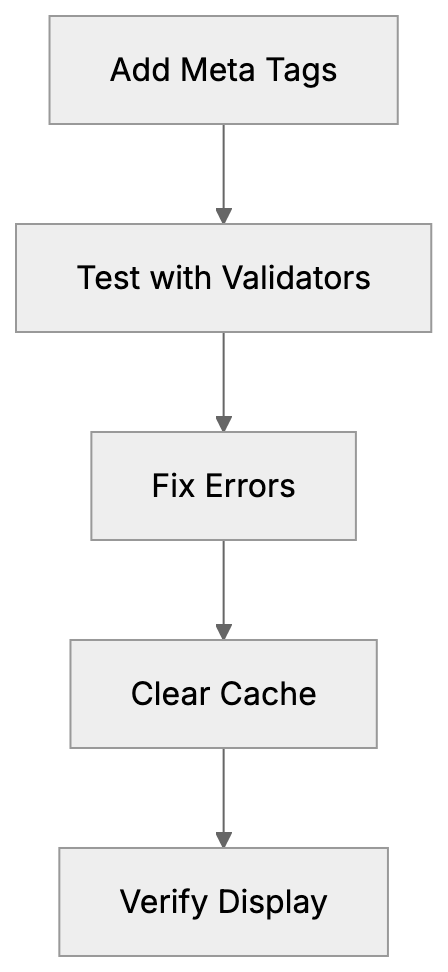
Meta Tag Validation Workflow:
The referrer tag controls what information gets sent when users click links on your page.
<meta name="referrer" content="no-referrer-when-downgrade">The format detection tag stops mobile browsers from automatically converting phone numbers and addresses into links.
<meta name="format-detection" content="telephone=no">For geographic targeting:
<meta name="geo.region" content="US-NY">
<meta name="geo.placename" content="New York">
<meta name="geo.position" content="40.7128;-74.0060">
The rating tag indicates content rating for parental controls.
<meta name="rating" content="general">Comparison of Meta Tag Frameworks and Validators
Different platforms and tools help you manage and validate your meta tags. Here is how the main options compare.
| Tool/Platform | Purpose | Key Features | Best For |
|---|---|---|---|
| Facebook Sharing Debugger | Validate Open Graph tags | Shows preview, clears cache, identifies errors | Testing Facebook shares |
| Twitter Card Validator | Validate Twitter Cards | Preview how cards appear, approval system | Testing Twitter shares |
| Google Rich Results Test | Test structured data | Shows how Google sees your page | SEO and search appearance |
| Yoast SEO | WordPress plugin | Auto generates meta tags, SEO analysis | WordPress users |
| Screaming Frog | Desktop crawler | Audits all meta tags across entire site | Technical SEO audits |
The Facebook Sharing Debugger is free and shows exactly how your Open Graph tags render. It also lets you clear Facebook’s cache when you update tags. You can find it at developers.facebook.com/tools/debug.
Twitter Card Validator requires a Twitter account, but provides instant previews. Access it at cards-dev.twitter.com/validator. Note that Twitter now falls back to Open Graph tags, so dedicated Twitter tags are optional.
Google Rich Results Test focuses on structured data, but also validates basic meta tags. It’s part of Google Search Console and helps make sure your pages display correctly in search results.
Yoast SEO automatically generates many meta tags for WordPress sites. It includes templates for titles and descriptions plus real-time content analysis. The free version covers basic needs, while the premium version adds more features.
Screaming Frog crawls your entire website and generates reports on all meta tags. It shows missing tags, duplicates, and length issues. The free version crawls up to 500 URLs, while the paid version has no limits.
Small business owners often start with platform-specific validators like Facebook Debugger and Twitter Validator. Web developers working on larger sites typically use Screaming Frog for complete audits. Content marketers using WordPress benefit most from plugins like Yoast SEO.
Complete Meta Tags Reference Template
Here is a complete HTML meta tags list you can copy and customize for your pages. This meta tags reference includes all the needed tags discussed above.
<!DOCTYPE html>
<html lang="en">
<head>
  <!-- Basic Meta Tags -->
  <meta charset="UTF-8">
  <meta name="viewport" content="width=device-width, initial-scale=1.0">
  <title>Your Page Title - Brand Name</title>
  <meta name="description" content="Clear compelling description under 160 characters for search results.">
  <meta name="keywords" content="keyword1, keyword2, keyword3">
  <meta name="author" content="Author Name">

  <!-- SEO Meta Tags -->
  <meta name="robots" content="index, follow">
  <link rel="canonical" href="https://example.com/page-url/">
  <meta http-equiv="content-language" content="en-US">

  <!-- Open Graph Meta Tags -->
  <meta property="og:title" content="Title for Social Sharing">
  <meta property="og:description" content="Description for social media platforms when your link is shared.">
  <meta property="og:type" content="website">
  <meta property="og:url" content="https://example.com/page-url/">
  <meta property="og:image" content="https://example.com/image.jpg">
  <meta property="og:image:width" content="1200">
  <meta property="og:image:height" content="630">
  <meta property="og:image:alt" content="Image description">
  <meta property="og:site_name" content="Your Brand">
  <meta property="og:locale" content="en_US">

  <!-- Twitter Card Meta Tags -->
  <meta name="twitter:card" content="summary_large_image">
  <meta name="twitter:site" content="@yourtwitterhandle">
  <meta name="twitter:creator" content="@authorhandle">
  <meta name="twitter:title" content="Title for Twitter">
  <meta name="twitter:description" content="Description for Twitter shares.">
  <meta name="twitter:image" content="https://example.com/twitter-image.jpg">
  <meta name="twitter:image:alt" content="Image description">

  <!-- Mobile App Meta Tags -->
  <meta name="theme-color" content="#4285f4">
  <meta name="mobile-web-app-capable" content="yes">
  <meta name="apple-mobile-web-app-capable" content="yes">
  <meta name="apple-mobile-web-app-status-bar-style" content="black">

  <!-- Additional Meta Tags -->
  <meta name="format-detection" content="telephone=no">
  <meta name="referrer" content="no-referrer-when-downgrade">
</head>
<body>
  <!-- Your content here -->
</body>
</html>
Not every page needs all these tags. Start with the basics like charset, viewport, title, and description. Add Open Graph and Twitter tags if you share content on social media. Include the advanced tags only when they serve a specific purpose for your site.
For blog posts, add article-specific Open Graph tags. For product pages, include appropriate structured data alongside your meta tags. For landing pages, focus heavily on the description tag since it affects click-through rates from search results.
Content marketers should maintain consistent og:site_name and twitter:site values across all pages. This builds brand recognition when people share your content. SEO experts recommend auditing your meta tags quarterly to catch missing or outdated tags.
Common Meta Tag Mistakes to Avoid
Many web developers make the same mistakes when implementing meta tags. The most common error is duplicate title or description tags across multiple pages. Each page needs unique tags that describe its specific content.
Another mistake is forgetting to update meta tags when you update page content. If your description talks about 2023 data, but your page now shows 2024 information, users will notice the mismatch.
Missing og:image tags cause broken previews on social media. Always test your shares with Facebook Debugger and Twitter Validator before publishing. Images should be at least 1200 pixels wide for best results across platforms.
Using keyword stuffing in the meta keywords tag is pointless. Google hasn’t used this tag for ranking since 2009. Focus your effort on writing good title and description tags instead.
Forgetting the viewport meta tag breaks mobile responsiveness. This single tag is important for any modern website. Without it, your site will look zoomed out on phones.
Setting wrong robots values accidentally blocks search engines. The tag <meta name="robots" content="noindex"> tells Google not to show your page in results. Only use noindex on pages you actually want hidden, like admin sections or duplicate content.
Many developers copy-paste meta tag templates without customizing them. Generic descriptions like “Welcome to our website” waste valuable space. Write specific descriptions that encourage clicks.
Missing canonical tags on paginated content create duplicate content issues. If you have page 1, page 2, page 3 of a category, each needs proper canonical tags pointing to the main category page or to itself.
How Search Engines and Social Platforms Use Meta Tags
Search engines like Google and Bing crawl your HTML head tags to understand page content. The title tag weighs heavily in ranking algorithms. Google displays it as the clickable headline in search results.
The meta description doesn’t directly affect rankings but influences click-through rates. A strong description can double your traffic even if you rank in the same position. Google sometimes rewrites descriptions if it thinks other page text better matches the search query.
The robots meta tag gives you control over indexing. Setting it to noindex removes the page from search results. Setting it to nofollow tells crawlers not to follow links on that page. You can combine values like noindex, follow for specific situations.
Social media platforms parse your Open Graph and Twitter Card tags when someone shares your link. Facebook scrapes these tags and caches the results for several days. If you update your tags, use Facebook Debugger to clear the cache and rescrape.
LinkedIn uses Open Graph tags just like Facebook. The og:title becomes the headline, og:description becomes the summary text, and og:image shows as the preview image. LinkedIn recommends images with 1200 x 627 pixel dimensions.
Twitter checks for Twitter Card tags first. If it doesn’t find them, it falls back to Open Graph tags. This means you can skip Twitter-specific tags if your Open Graph setup is solid.
Pinterest also reads Open Graph tags when users pin your content. The og:image tag determines which image appears in the pin. Having high-quality images in your meta tags increases pin rates.
Messaging apps like WhatsApp and Slack use Open Graph tags to generate link previews. When you paste a URL into a chat, the app fetches your meta tags to show a rich preview with image and description.
Search engines update their algorithms, but meta tags remain a stable way to communicate page information. The basic tags covered in this meta tags cheat sheet have worked consistently for over a decade.
End
Meta tags are essential HTML head tags that control how your content appears in search results and on social media. This complete meta tags cheat sheet covers everything from basic SEO meta tags like title and description to social media meta tags for Facebook, Twitter, and LinkedIn.
Start with the fundamental tags: charset, viewport, title, description, and robots. Add Open Graph tags if you share content on social platforms. Include Twitter Card tags for more control over Twitter appearances. Use the validation tools mentioned to test your setup.
Keep this HTML meta tags list as a reference when building new pages. Copy the template provided and customize it for each unique page on your site. Remember, good meta tags improve both search visibility and social sharing performance. They take just a few minutes to implement but deliver long-term benefits for your content reach.
Frequently Asked Questions
What are the most important meta tags for SEO?
The most essential meta tags for SEO include the title tag, meta description, and robots tag. The title tag serves as the clickable headline in search results, while the meta description influences click-through rates. The robots tag controls how search engines index your page, allowing you to specify whether to index or noindex the content.
How can I test if my meta tags are working correctly?
You can test your meta tags using tools like the Facebook Sharing Debugger and Twitter Card Validator. These tools allow you to see how your content will appear when shared on social media and check for any errors in your tags. Additionally, Google offers the Rich Results Test to evaluate structured data and general meta tags.
Why is the viewport meta tag important?
The viewport meta tag is crucial for ensuring that your website is responsive on mobile devices. Without it, your site may not display correctly on smaller screens, leading to a poor user experience. This tag allows your website to scale appropriately across different devices.
What are Open Graph tags and why should I use them?
Open Graph tags are meta tags that control how your content appears when shared on social media platforms like Facebook and LinkedIn. These tags let you specify the title, description, and image for your content, enhancing visibility and engagement on social media. Using Open Graph tags ensures that your links display attractively with relevant images and descriptions.
How do canonical tags help with SEO?
Canonical tags help avoid duplicate content issues by specifying the preferred version of a webpage for search engines. This is especially useful for websites with multiple URLs leading to the same content. Implementing canonical tags can improve your SEO by ensuring that link equity is consolidated to the main version of a page.
What common mistakes should I avoid with meta tags?
Common mistakes include duplicate title or description tags across pages and failing to update meta tags when content changes. Additionally, using generic phrases instead of specific descriptions can waste valuable space. It’s also important to avoid missing required tags, such as the viewport tag, which is essential for mobile responsiveness.
Can I skip Twitter Card tags if I have Open Graph tags?
Yes, you can skip dedicated Twitter Card tags if you have already implemented Open Graph tags. Twitter will use Open Graph tags as a fallback if it doesn’t find its specific tags. However, using Twitter-specific tags can provide more control over how your content appears on Twitter.