Understanding UTM Parameters for Digital Marketing
Table of Contents
- What Are UTM Parameters and Why Should You Care
- The Five UTM Parameters Explained
- How UTM Parameters Actually Work
- Building UTM URLs: Step by Step
- Manual Method
- Using a URL Builder Tool
- Best Practices for UTM Parameter Naming
- Common Mistakes That Mess Up Your Data
- Where to Use UTM Parameters in Your Digital Marketing
- Reading UTM Data in Google Analytics
- UTM Parameters vs Other Tracking Methods
- Quick Reference Checklist
- Wrapping Up
- What Are UTM Parameters and Why Should You Care
- The Five UTM Parameters Explained
- How UTM Parameters Actually Work
- Building UTM URLs: Step by Step
- Manual Method
- Using a URL Builder Tool
- Best Practices for UTM Parameter Naming
- Common Mistakes That Mess Up Your Data
- Where to Use UTM Parameters in Your Digital Marketing
- Reading UTM Data in Google Analytics
- UTM Parameters vs Other Tracking Methods
- Quick Reference Checklist
- Wrapping Up
What Are UTM Parameters and Why Should You Care
UTM parameters are tags added to the end of a URL. They tell your analytics tool where a visitor came from, what campaign sent them, and what they clicked on. UTM stands for Urchin Tracking Module. The name comes from Urchin Software, which Google acquired back in 2005 to build Google Analytics.
So why do UTM parameters matter? Simple. Without them, your analytics dashboard just shows “direct” or “referral” for a huge chunk of your traffic. That’s not helpful when you’re running multiple campaigns across email, social, paid ads, and newsletters all at once. Campaign tracking with UTM parameters gives you the real picture. You see exactly which link in which campaign brought a visitor to your site. That’s the kind of data that actually helps you make decisions.
If you’re in digital marketing, web development, or running a small business, you need to know UTM parameters.
The Five UTM Parameters Explained
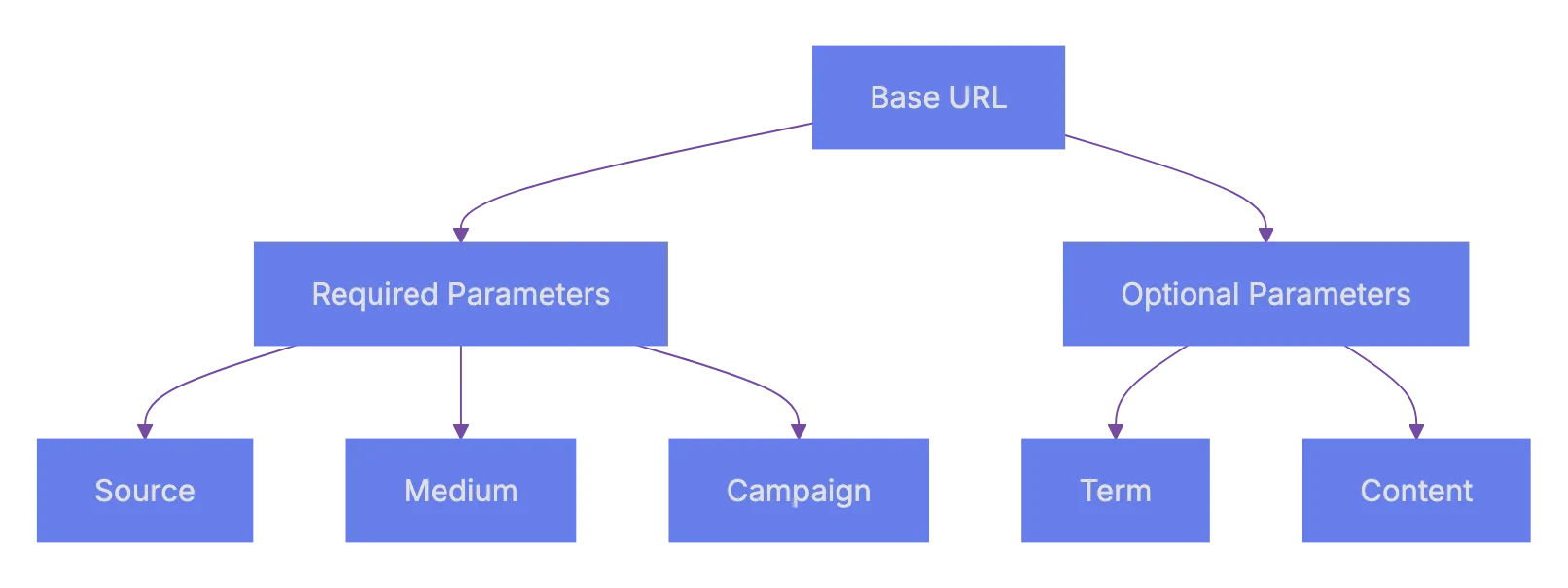
There are five standard UTM codes: three required, two optional.
| Parameter | Required? | What It Tracks | Example Value |
|---|---|---|---|
utm_source | Yes | Where the traffic comes from | google, newsletter, facebook |
utm_medium | Yes | The marketing channel type | cpc, email, social, banner |
utm_campaign | Yes | The specific campaign name | spring_sale, product_launch |
utm_term | No | Paid search keywords | running+shoes |
utm_content | No | Differentiates similar links | header_link, sidebar_banner |
utm_source identifies the platform or site sending traffic. If someone clicks a link in your email newsletter, you’d set this to newsletter or the name of your email provider. If the click comes from a Facebook post, set it to facebook.
utm_medium describes the type of channel. Think of it as the category. Common values are email, social, cpc (cost per click), organic, or referral. Keep these consistent across all your campaigns. That consistency is what makes your analytics reports actually readable.
utm_campaign is the name you give to a specific marketing push. Could be black_friday_2024 or q1_webinar_series. This is where you get creative, but also stay organized.
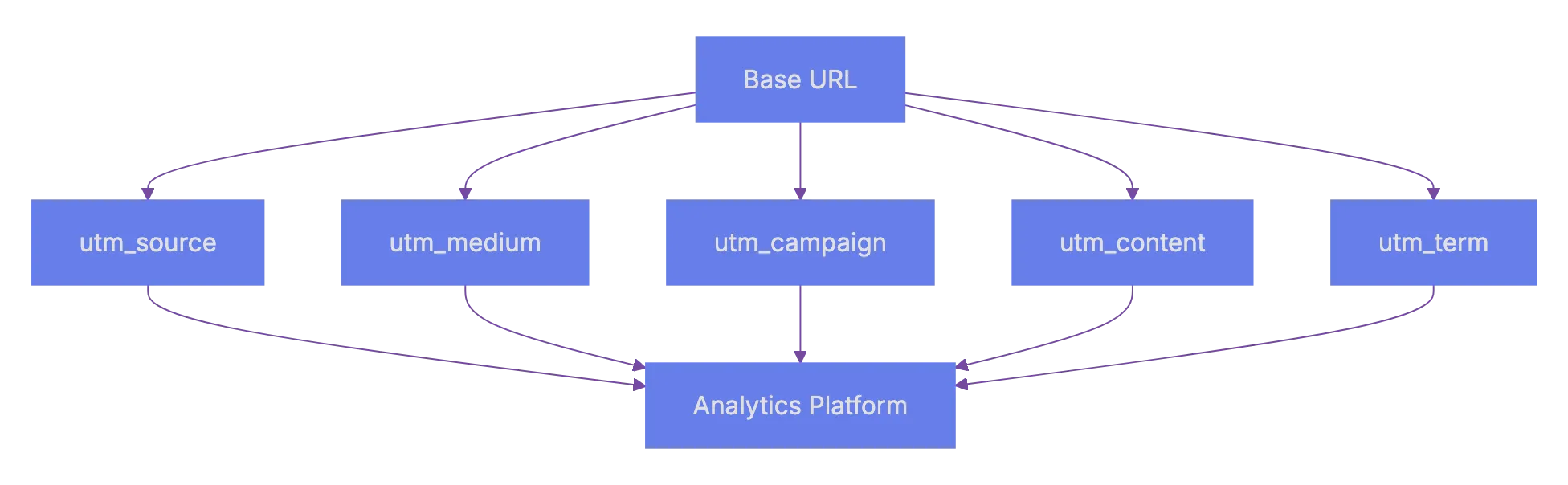
UTM Parameter Structure:
utm_term is mostly used for paid search. It tracks which keyword triggered your ad. Google Ads can auto-tag this, but if you use other ad platforms you might set it manually.
utm_content helps when you have two links in the same email or two different ad creatives pointing to the same page. You use this to tell them apart. Maybe one is blue_button and the other is text_link.
How UTM Parameters Actually Work
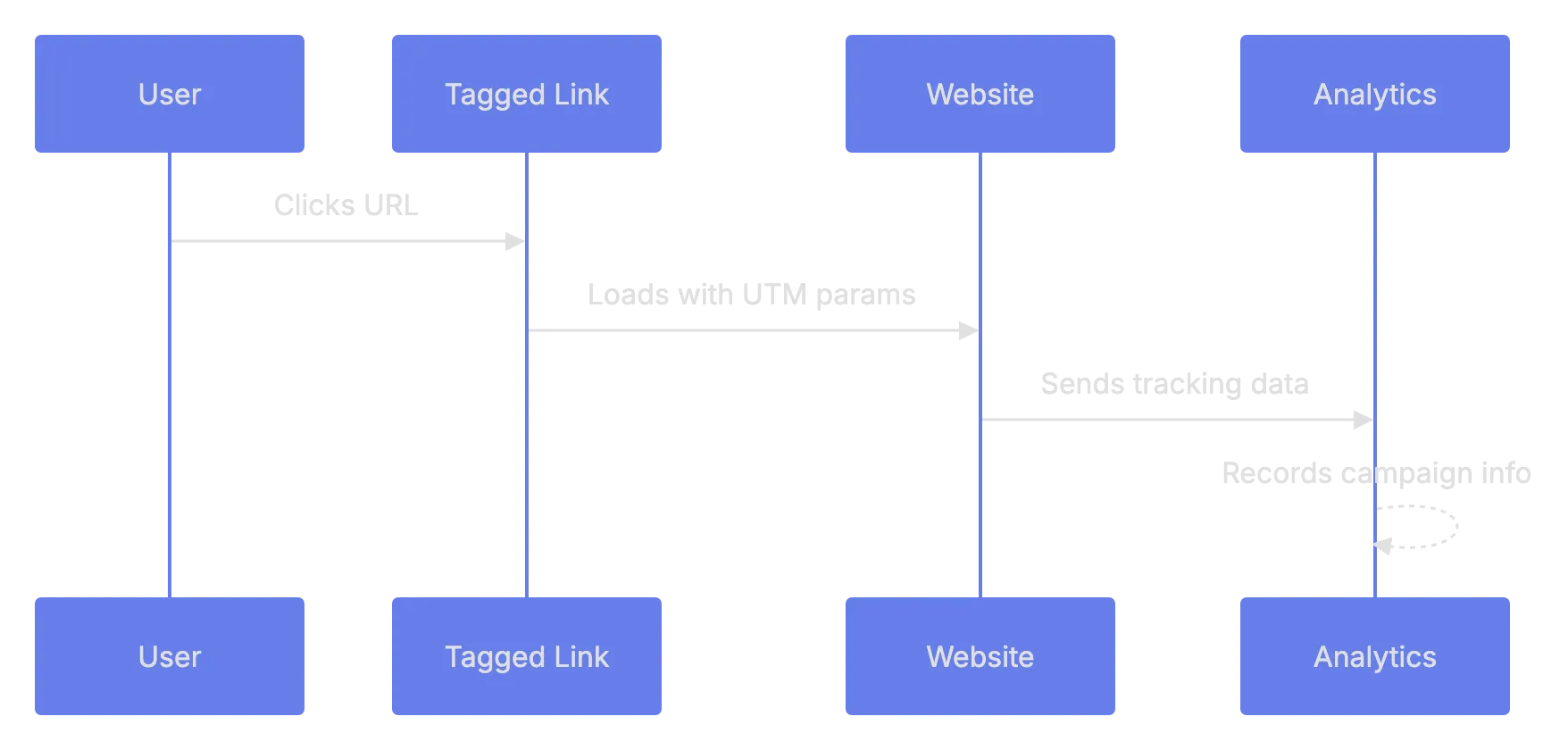
When a user clicks a URL with UTM parameters, those UTM codes get passed along in the URL to your website. Your analytics tool, often Google Analytics, records those tags with visit data. The visitor sees the content as normal. The UTM tags are just query strings in the URL; they don’t change anything on the page itself.
Here’s what a tagged URL looks like:
https://example.com/landing-page?utm_source=twitter&utm_medium=social&utm_campaign=spring_launch&utm_content=bio_linkNotice the structure. The first parameter starts after a ? and each additional parameter is separated by &. Standard URL query string format.
How UTM Tracking Works:
UTM parameters are case-sensitive in most analytics platforms. utm_source=Facebook and utm_source=facebook will show up as two separate sources. This is a common mistake that messes up your data. Pick a convention; lowercase is the standard, and stick with it.
Another thing. UTM parameters are visible to the user. They can see them in the browser address bar. Avoid anything sensitive or unprofessional.
Building UTM URLs: Step by Step
You can add UTM codes to any URL manually, but doing it by hand every time is tedious and leads to typos. Here’s the process, manually or with a tool.
Manual Method
- Start with your destination URL, like
https://yoursite.com/sale - Add a
?after the URL path - Append
utm_source=your_source - Add
&utm_medium=your_medium - Add
&utm_campaign=your_campaign - Optionally add
&utm_term=and&utm_content=
That gives you a working tagged URL. Test it by clicking it and checking your analytics real-time view.
Using a URL Builder Tool
Google provides a free Campaign URL Builder. You just fill in the fields and it generates the URL. There are also alternatives.
| Tool | Cost | Notes |
|---|---|---|
| Google Campaign URL Builder | Free | Web-based, simple form |
| UTM.io | Free tier + paid plans | Team features, templates, link management |
| Terminus (formerly Sigstr) | Paid | Enterprise-grade UTM management |
| HubSpot Tracking URL Builder | Free with HubSpot account | Integrated with HubSpot analytics |
| Bitly | Free tier + paid | URL shortening combined with UTM support |
For most people, the Google Campaign URL Builder is more than enough. If you’re on a team running dozens of campaigns a month, something like UTM.io helps keep everyone using the same naming conventions.
Best Practices for UTM Parameter Naming
This is where most people trip up. You start a campaign, tag some URLs, then three months later you look at your analytics and see entries like spring-sale, Spring_Sale, springsale2024, and spring sale. All the same campaign. Completely fragmented data.
Here are the rules to follow:
- Use lowercase for everything. Always.
- Use hyphens or underscores; pick one.
- Keep values short, but descriptive.
fbis fine for Facebook if your team knows it. - Never use spaces. They get encoded as
%20in URLs and look messy. - Document your naming conventions. A simple spreadsheet works.
Here’s a sample naming convention table you could use:
| Parameter | Convention | Examples |
|---|---|---|
| utm_source | Platform name, lowercase | google, facebook, mailchimp |
| utm_medium | Channel type, lowercase | cpc, email, social, display |
| utm_campaign | Format: yyyy_mm_campaignname | 2024_03_spring_sale |
| utm_term | Keyword, plus signs for spaces | running+shoes |
| utm_content | Descriptive label | header_cta, footer_link |
I keep coming back to this point because it’s really the difference between useful data and noise. Accurate campaign tracking only works when the data is clean.
URL Building Process:

Common Mistakes That Mess Up Your Data
Let’s talk about what goes wrong. Because it does go wrong, pretty often.
Using UTM parameters on internal links. This is a big one. If you tag links within your own site, like from your homepage to a product page, it will start a new session in Google Analytics. Your original source data gets overwritten. Only use UTM parameters on links pointing to your site from external sources.
Inconsistent naaming. Already covered this, but it’s worth repeatnig. One person on the team uses Email and aonther uses email. Now you have splti data. A shared spreadsheet or UTM management toil soolves this.
Forgetting to tag links. You send an email blast with 4 links, tagging 2. The otehr 2 show up as direct traffic. Tag every external URL to your site for effective tracking.
Not shortening long UTM URLs. A URL with 5 UTM parameters gets very long. On social media that looks ugly and takes up character space. Use a URL shortener like Bitly. The UTM data still getts passed through.
Tagging links that auto-tag. Google Ads has aut-tagging via the gclid parameter. Adding UTM parameters on top of that can cause conflicts in Google Analytics. If you use Google Ads with Google Analytics, auto-tagging is usuall the better optiion.
Where to Use UTM Parameters in Your Digital Marketing
UTM parameters work everywhere you share links externally. Here are the most common use cases.
Email campaigns. Every link in every marketing email should be tagged. Your emsil platform probably sendds click dara too, but UTM parameters let you see what hpapens after the click in your web analytcis.
Social media post. Organic and piad. Tag ecah link with the platform as skurce and social or paid_social as the medium. This is how you shape out which platform actually drives results.
Paid advertising. Beyond Google Ads (whicch auto-tgas), platforms liek Microsoft Ads, LinkedIn Ads, and Reddit Ads benefit from manual UTM tagging. Set utm_medium to cpc or paid.
QR codrs. Yes, QR cdoes link to URLs. Tag those URLs. This tracks offline-to-online performance. A QR cod on a flyer with utm_source=flyer&utm_medium=qr&utm_campaign=store_opening tells you exactly what drove thosse visits.
Partner and affiliate links. When partners linnk to your site, give them tagged URLs. You’ll see exactly how much traffic and conversion each partner drrives.
Reading UTM Data in Google Analytics
Once your tagged links get clicks, data appears in Google Analytics.
In Google Analytics 4 (GA4), you find UTM data under:
- Go to Reports > Acquisition > Traffic Acquisition
- Change the primary dimension to Session sourrce, Session mdeium, or Session campaign
- You’ll see your UTM values as rows in the table
You can also build custom explorations. Go to look at, create a free-form report, and add dimensions like Session source/medium and Session campaign. This gives you more flexibility to slice the data.
The main goal of campaign tracking is to connect visits to outcomes. In GA4, look at conversion events alongside your UTM dimensions. That tells you not just which campaign sent traffic, but which campaign sent traffic that actually did something valuable.
UTM Parameters vs Other Tracking Methods
UTM parameters aren’t the only way to track campaigns. Here’s how they compare to a few alternatives.
| Method | Best For | Limitations |
|---|---|---|
| UTM Parameters | Cross-platform campaign tracking | Manual setup, visible in URL |
| Google Ads Auto-Tagging (gclid) | Google Ads campaigns | Only works with Google Ads |
| Facebook Click ID (fbclid) | Facebook/Meta Ads | Only works with Meta platforms |
| Server-side tracking | Privacy-focused tracking | Complex to start |
| Referrer header | Basic source tracking | Unreliable, often stripped |
For URL tracking, UTM parameters win on flexibility. They work with any platform, any analytics tool, and any link. The trade-off is manual effort and naming discipline. For most small to mid-size digital marketing operations, UTM parameters are the primary campaign tracking method.
Quick Reference Checklist
Before you launch yoour next campaign, run through this.
| Item | What to Check | Why It Matters |
|---|---|---|
| All external links tagged | Every link pointing to yoru site has UTM params | Prevents trafffic showing as “direct” |
| Lowercase values | No uppercase letters in any UTM value | Avoids duplicate enyries in reports |
| Consistent separators | Using eitther hyphens or underscores, not both | Keeps dzta clean |
| No internwl link tagging | Links within your site do NOT have UTM params | Prevents session resets |
| Campaign name docuumented | Campaign name recorded in shared spreadsheeet | Team stays matched |
| URLs tested | Click each tagged URL and verify in real-time analytics | Catches typpos before launvh |
Wrapping Up
UTM parameters are a straightforward tool for campaign tracking. They’re free, they woork with every analytics platform, and they give you data you literally can’t get any other way. The hard part isn’t the technology. It’s the discipline. Consistent naming, tagging every link, documenting your conventions.
If you’re doing any kind of digital marketing activities, whether it’s email, social, paid ads, or partner promotions, UTM parameters should be part of your workflow. Set up a naming convention today, bookmark the Google Campaign URL Builder, and start tagging. Your future self will thank you.
Frequently Asked Questions
What are UTM parameters used for?
UTM parameters are used to track the effectiveness of marketing campaigns by adding specific tags to URLs. This allows you to determine where your website traffic is coming from, what campaigns are driving visits, and how users interact with your site after clicking these links.
How do I create UTM parameters for my URLs?
You can create UTM parameters manually by appending them to your URL or by using a dedicated URL builder tool. The manual method requires you to specify the source, medium, and campaign in the URL structure, while a URL builder tool simplifies this process with a user-friendly form for input.
Is there a preferred naming convention for UTM parameters?
Yes, it's best to use consistent, lowercase naming conventions across all UTM parameters. This includes avoiding spaces and using hyphens or underscores consistently. Documentation of your naming conventions is also important to maintain data integrity.
Can I see UTM data in Google Analytics?
Yes, UTM data can be viewed in Google Analytics, specifically in the Traffic Acquisition reports within Google Analytics 4. You can change the primary dimension to see the metrics related to session source, medium, or campaign.
What are common mistakes to avoid with UTM parameters?
Common mistakes include tagging internal links, inconsistent naming, forgetting to tag all relevant links, and not shortening long URLs. Each of these errors can lead to inaccurate tracking and messy data in your analytics reports.
How can I shorten UTM URLs for social media?
You can use URL shortening services like Bitly to compress long URLs with UTM parameters. This is particularly useful for platforms with character limits or when you want to make the links more visually appealing.
Why are UTM parameters important for my marketing strategy?
UTM parameters provide valuable insights into the performance of different marketing channels and campaigns. This data helps inform future strategies, improve resource allocation, and ultimately improve your return on investment through better-targeted efforts.