Video AI Tool
AICW Video
AICW Video is an AI agent-ready editor for video interviews with humans. It auto-matches and syncs a separately recorded audio track, generates captions, suggests short clip moments, blurs faces or replaces them with emoji, and can replace the speaker’s voice with computer-generated speech. Use it as a standalone local app, or plug it into Claude, Codex, ChatGPT, or another MCP-capable AI agent so the agent can create projects, analyze clips, and render edits through the local hub. Live preview stays available for every option.
- Privacy-first
- Live preview
- AI-agent ready
- Claude / Codex / MCP
- Local-first
- macOS
brew install aicw-io/tap/aicw-video
Features
Auto-matches and syncs separately recorded audio
Drop video files and one or more separately recorded audio tracks. AICW Video detects, matches, and syncs each track to the right clip automatically.
Auto-generates captions
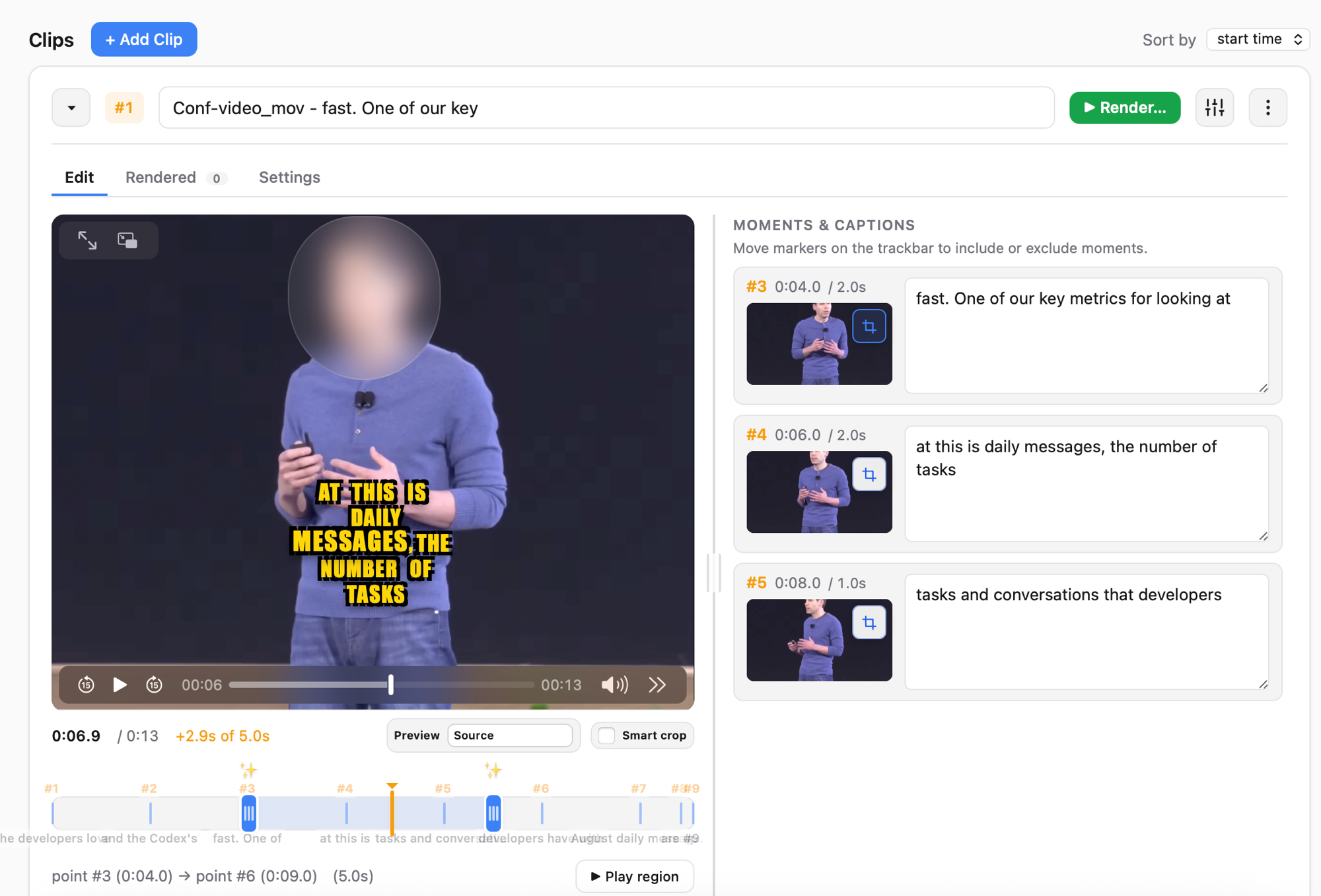
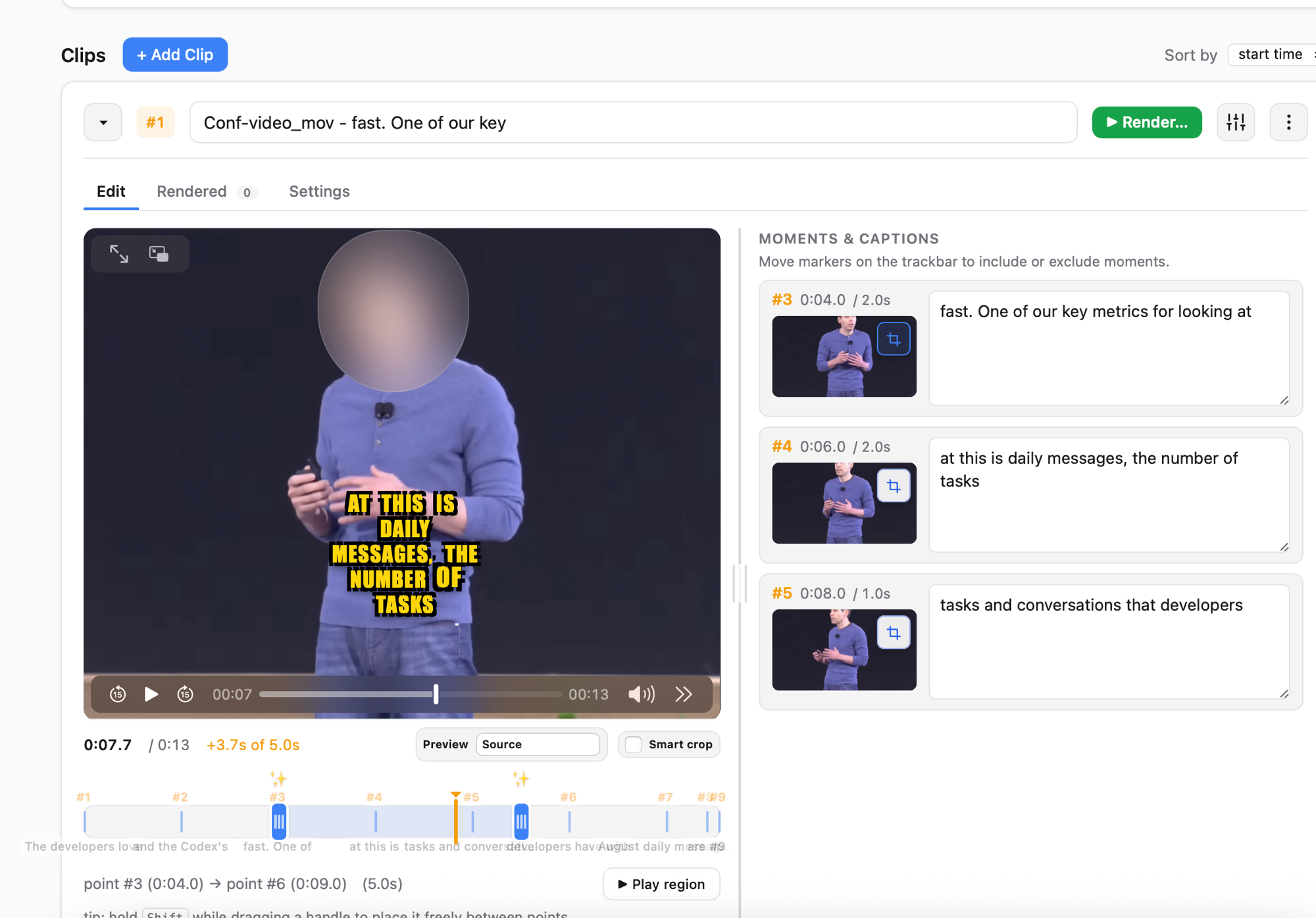
Speech-to-text captions in multiple styles. Edit the wording, switch styles, and see the result live before rendering.
Privacy: blur faces or replace with emoji
Detects faces frame by frame and either blurs them or covers them with a chosen emoji. Useful for interviews where the subject wants to stay anonymous.
Privacy: replace voice with TTS
Replace the original speaker’s voice with a computer-generated voice while keeping the captions accurate. Pick a voice, regenerate, preview.
Suggests short clip moments
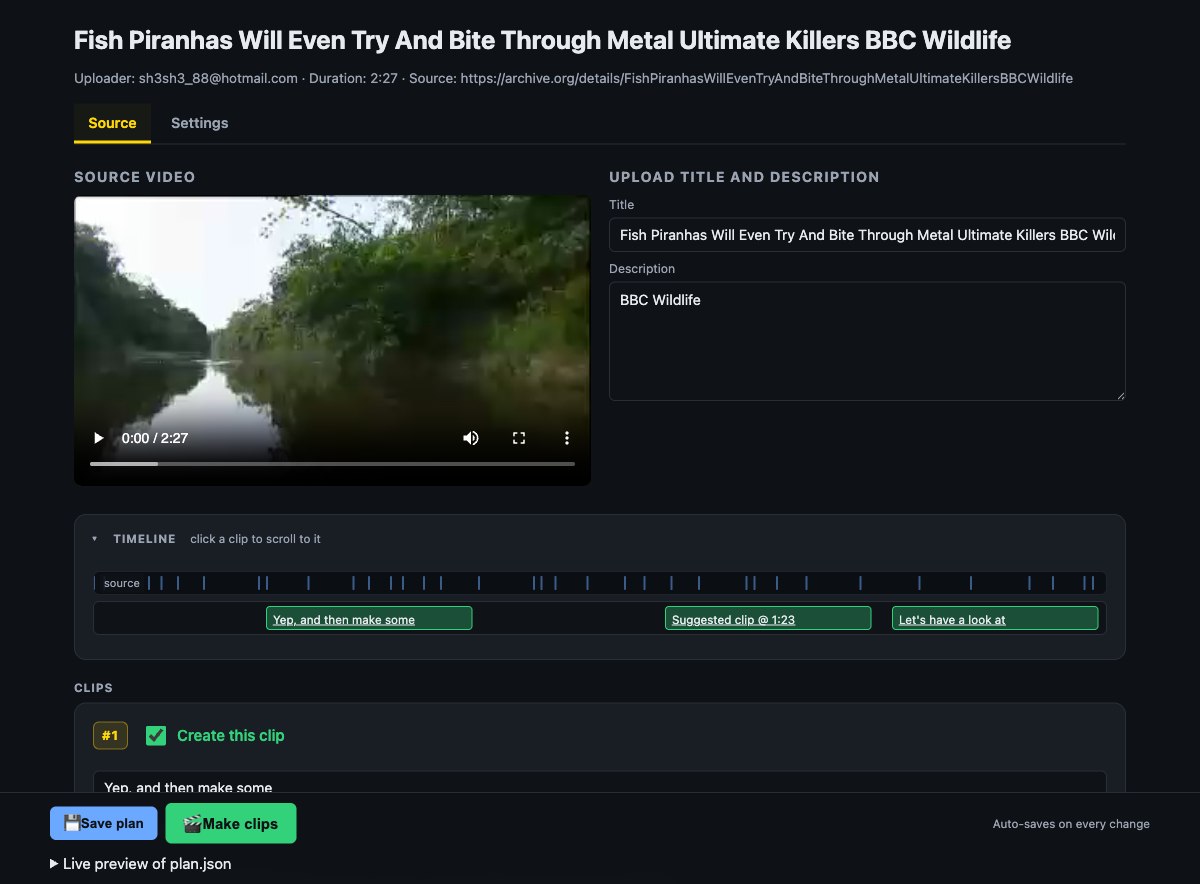
Analyzes the interview and proposes the strongest short ranges to cut. Accept, reject, or adjust each suggestion.
Live preview for every option
Caption styles, face emoji, voice replacement, clip ranges, every choice updates the preview instantly. No render-to-check round trips.
Plug into your favorite AI
Use the local hub on your own, or drive AICW Video from Claude, Codex, ChatGPT, or another MCP-capable AI agent via its built-in MCP server.
Caption silent video
No usable audio? AI scene analysis describes what’s on screen so you can ship a captioned clip anyway.
See it in action
Privacy demo: blur the speaker’s face, replace it with an emoji, and replace the original voice with TTS, all with live preview.
Clip workflow: auto-sync separately recorded audio, get suggested clip moments, generate captions, render the final cuts.
Screenshots
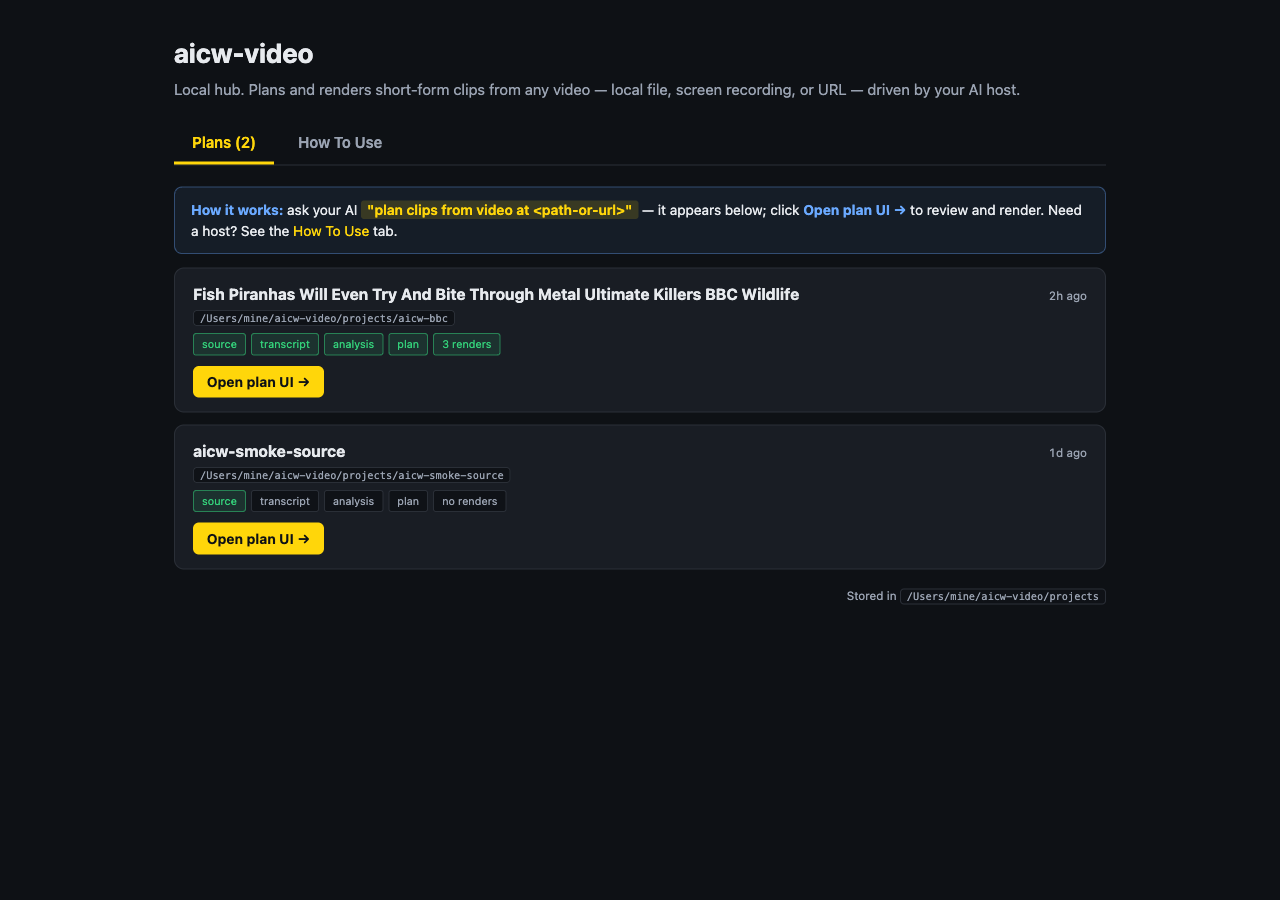
Privacy modes, plan UI, and the multi-project hub.
Plug it into Claude, Codex, or another AI
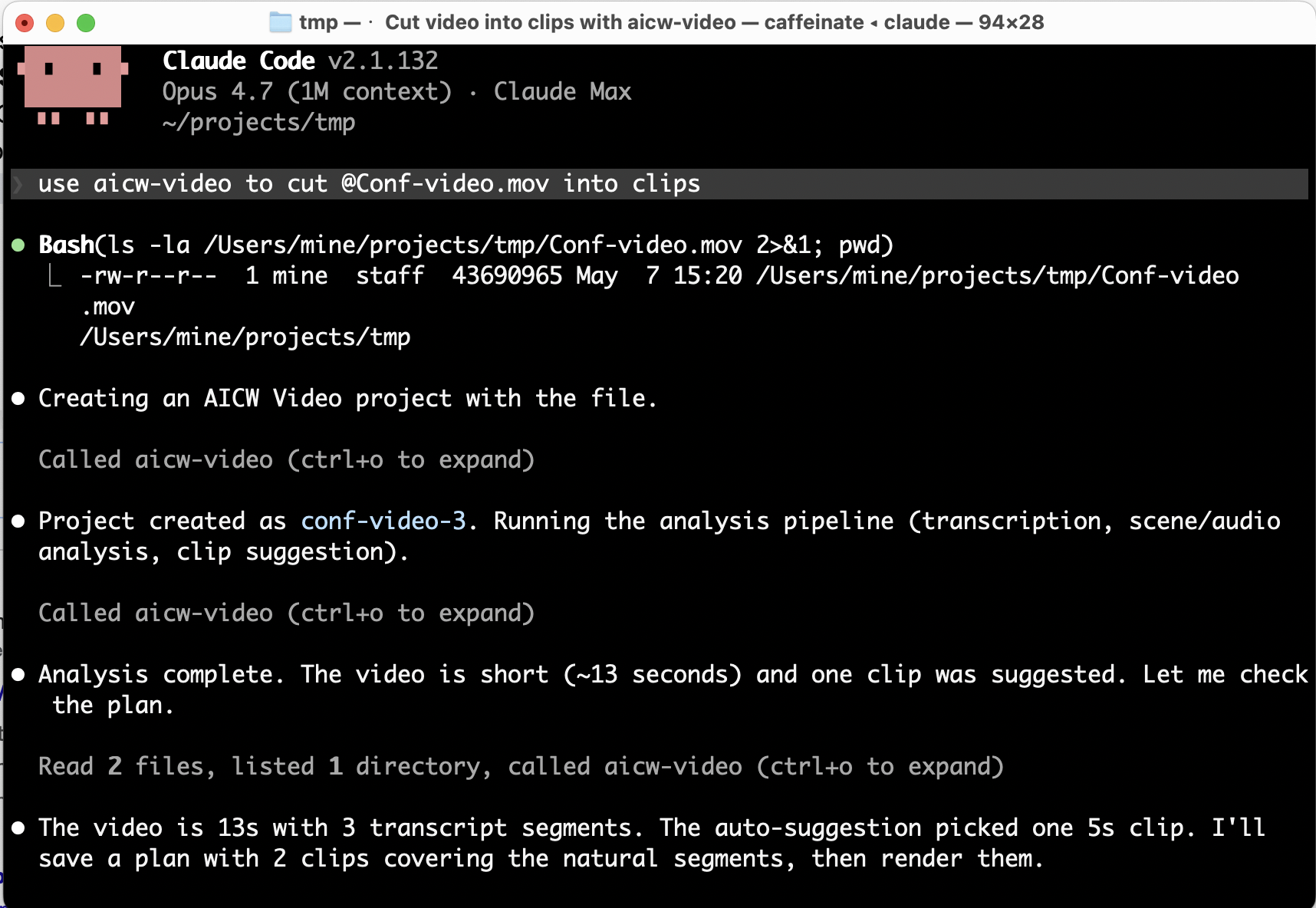
AICW Video ships a local stdio MCP server, so it works inside Claude Code, Claude Desktop, Codex, ChatGPT, and other MCP-capable clients. Your AI agent can import a video, analyze it, create a plan, and render clips on your behalf; the local app stays the source of truth for previews and final renders.
Add to Claude Code:
claude mcp add aicw-video -- aicw-video mcp
Then prompt:
use aicw-video to cut /path/to/video.mov into clips
Install
From Homebrew (recommended). Pulls Node.js, ffmpeg-full, and whisper-cpp as dependencies:
brew install aicw-io/tap/aicw-video
Or the development build from the upstream main branch:
brew install --HEAD aicw-io/tap/aicw-video
Then start the local hub:
aicw-video
The browser hub opens at http://127.0.0.1:8764/. macOS is the supported platform today; Windows support is planned.
How AI is used
AICW Video processes locally: audio and video extraction, audio-to-text (Whisper), and face detection (TensorFlow).
For optional AI scene analysis it uses the AI tools you already have installed, Claude Code, Codex CLI, or a local Ollama model. When that's on, sampled frames and transcript snippets may be sent to the host you choose. When it's off, AICW Video stays fully local.
Need full local AI? Configure Ollama with a local model like Qwen or Gemma.