AICW Visibility
AICW Visibility is an open-source CLI for website AI visibility audits. Run it directly with npx, or let Claude, Codex, or another AI agent call it from the terminal to inspect crawler access, answer-engine readiness, JavaScript rendering, and public dataset presence.
Run a visibility check from the terminal:
npx aicw-visibility example.comStandalone or agent-driven
Use it as a human-run command-line tool, or plug the command into your favorite AI workflow. Claude, Codex, or any agent with terminal access can run the audit, read the HTML and JSON outputs, and turn the findings into site fixes.
What it checks
- Server-level access:
robots.txt,sitemap.xml,llms.txt, response headers, homepage fetches, and response timing. - AI crawler access: visibility to AI bots across training data, search indexing, and user interaction crawler groups.
- Page-level readiness: meta tags, JSON-LD, HTML structure, mobile and desktop rendering, and JavaScript-rendered content.
- Public web presence: domain and URL presence in Common Crawl and selected public web sources.
- Report output: a local HTML report plus timestamped JSON data for repeatable audits.
Why it exists
Classic SEO tools tell you whether a page is crawlable for search. AICW Visibility focuses on the newer AI discovery path: whether AI crawlers can reach the site, whether technical signals are present, whether JavaScript content survives rendering, and whether the domain shows up in public datasets that answer engines may use.
It pairs well with AICW AI Mentions. Visibility answers, “Can AI systems reach and interpret this site?” AI Mentions answers, “Do AI systems mention or cite this brand?”
Screenshots
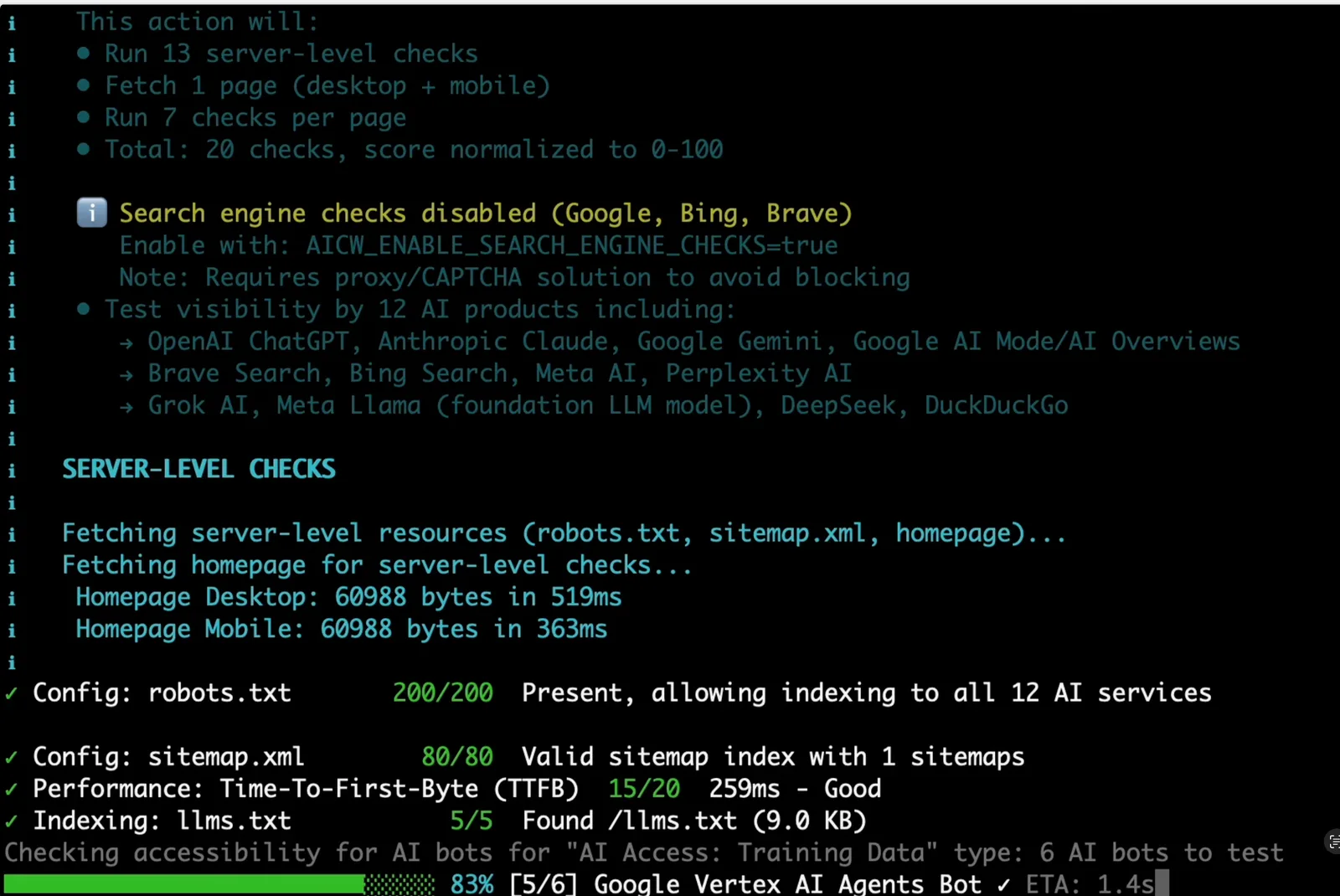
The CLI summarizes the audit plan, server checks, AI crawler access, and dataset checks while the scan runs.
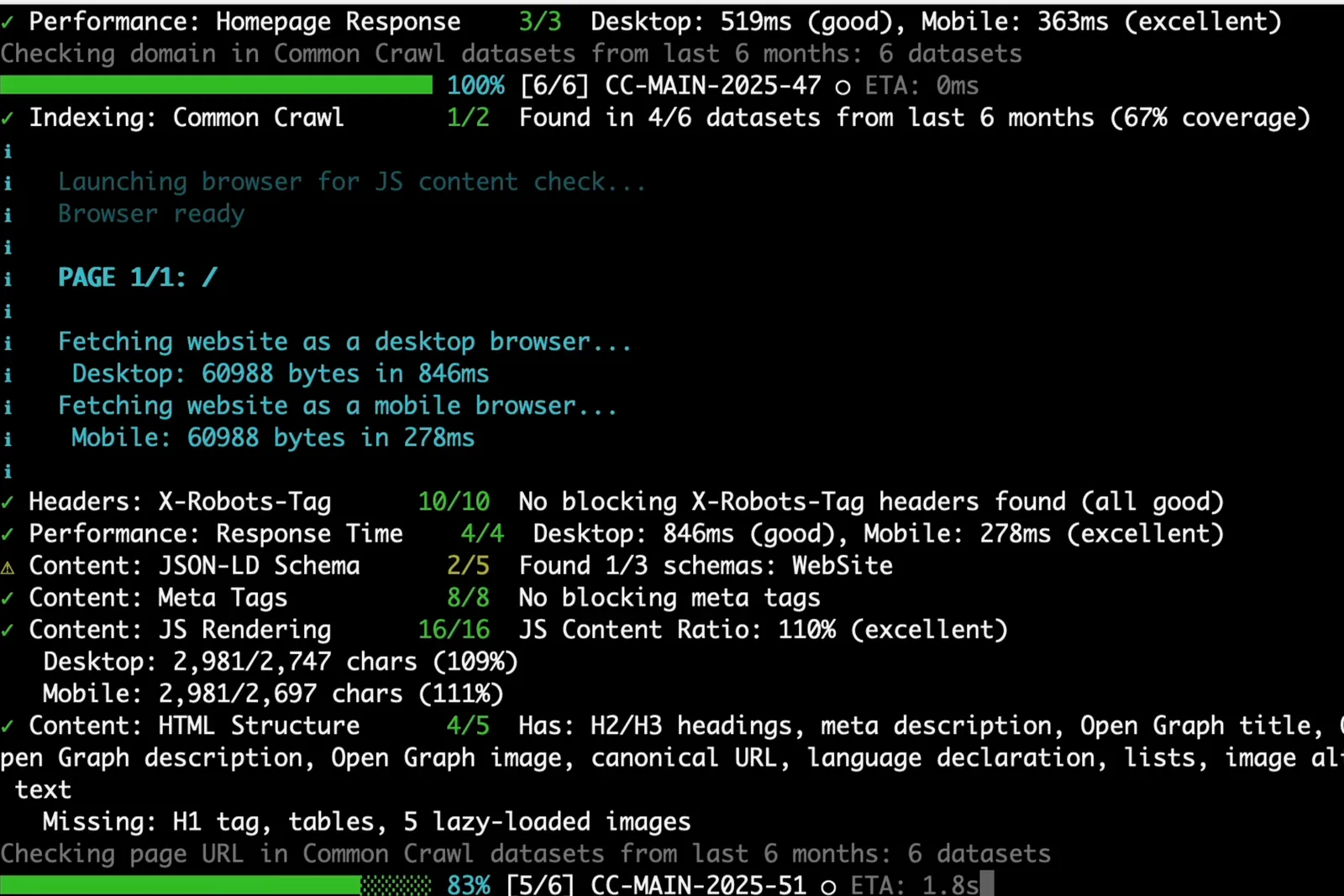
Browser rendering compares desktop and mobile output so JavaScript-heavy pages do not get a false pass from raw HTML alone.
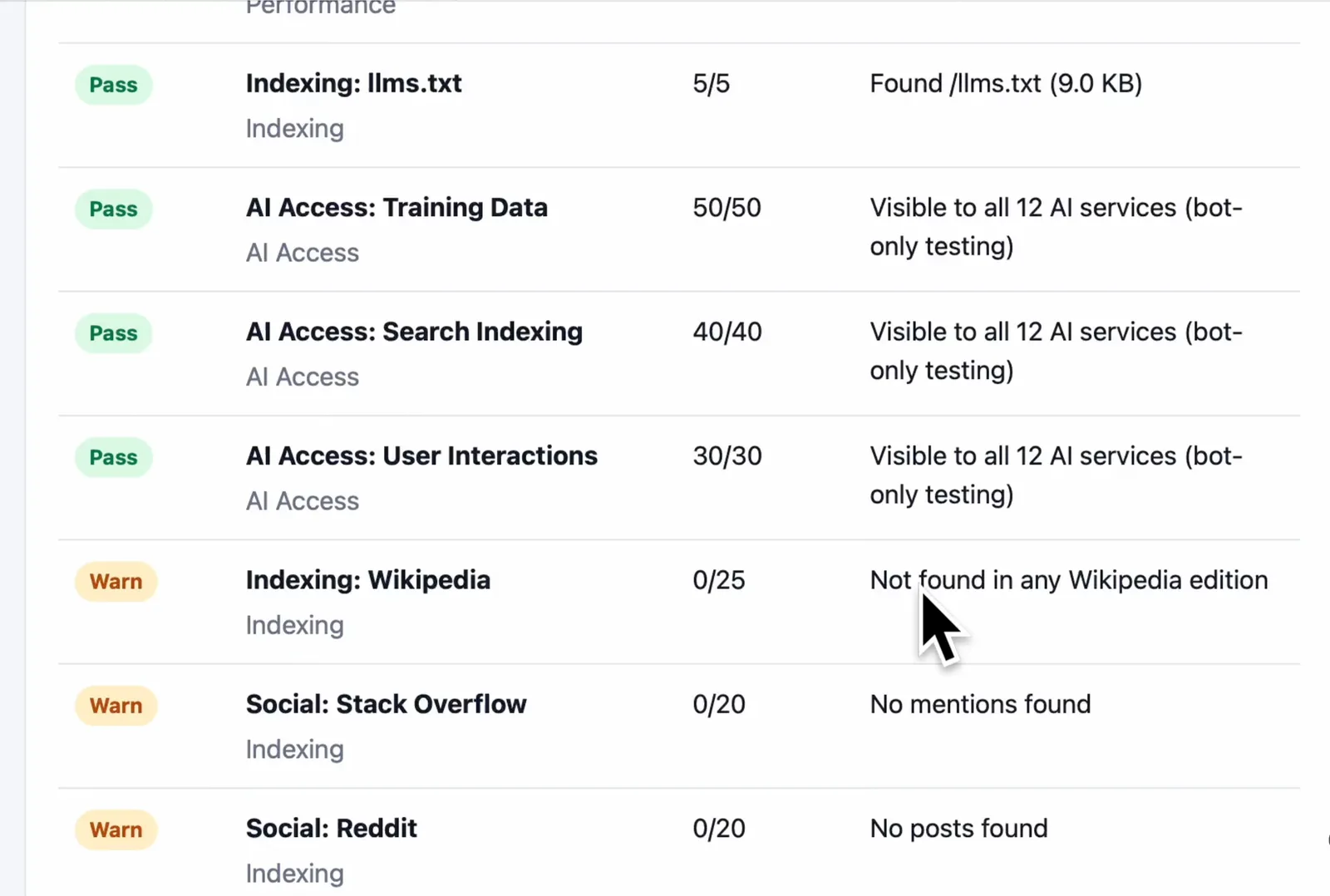
The generated HTML report is designed for review and sharing, with pass/warn status rows and point scores for each check.
Install
Run without installing:
npx aicw-visibility example.comOr install globally:
npm install -g aicw-visibility
aicw-visibility example.com
If Puppeteer’s browser is missing locally:
npx puppeteer browsers install chromeSkip browser rendering checks when you need a faster server-only run:
aicw-visibility example.com --no-browser