AI Crawler Identification and Bot Access Control
Table of Contents
- Introduction
- What an AI crawler does in AI search
- AI crawler identification without trusting bot names
- AI crawler bot access control with robots.txt and HTTP rules
- Enforce AI crawler bot access control at the CDN or WAF
- Use crawler log analysis to measure AI crawler tradeoffs
- Diagram-ready request decision flow
- Conclusion
- Introduction
- What an AI crawler does in AI search
- AI crawler identification without trusting bot names
- AI crawler bot access control with robots.txt and HTTP rules
- Enforce AI crawler bot access control at the CDN or WAF
- Use crawler log analysis to measure AI crawler tradeoffs
- Diagram-ready request decision flow
- Conclusion
Introduction
An AI crawler sends HTTP requests to collect or retrieve web content for an AI product. That definition covers several jobs. One bot may build a search index. Another may collect possible model training data. A third may fetch one URL because a user asked an AI assistant to read it.
These differences matter. Blocking every LLM crawler may reduce server load and limit automated collection. It may also remove pages from AI search results. Allowing every claimed AI user agent is risky because anyone can copy the string.
TL;DR: This guide explains AI crawler identification using user agents and verified IP data. It also covers robots.txt rules, CDN controls, WAF policies, crawler log analysis, bot access control, and measurement. It focuses on observable network behavior. A crawler name alone never proves who sent a request.
| Question | Control or evidence | Main limit |
|---|---|---|
| What does the bot claim to be? | HTTP User-Agent |
Easy to spoof |
| Does the source match the operator? | Published IP ranges or verified DNS | Lists can change |
| Should a compliant bot crawl this path? | robots.txt |
Not an access barrier |
| Must the server stop the request? | CDN or WAF rule | Can block useful traffic |
| What did the bot actually do? | Edge and origin logs | Depends on log quality |
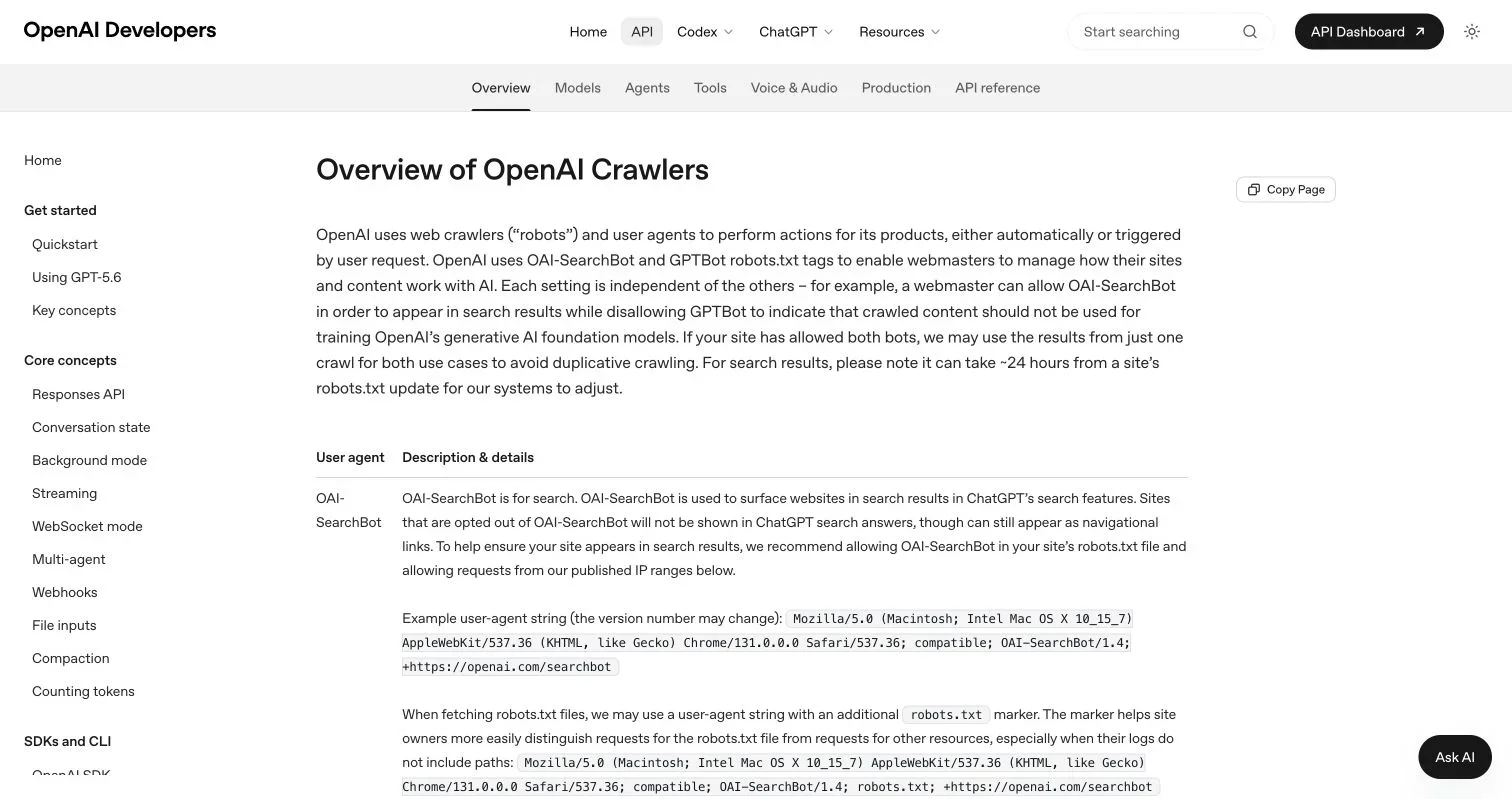
Source page reviewed in Chrome during article research. Follow the image link for the current page.
What an AI crawler does in AI search
Like a conventional search crawler, an AI search crawler discovers and indexes pages for answer engines. An LLM crawler may collect public content that could enter a model development pipeline. User-triggered fetchers work differently. They retrieve a page after a person asks an assistant to access it.
Separate these agents because their purposes and robots.txt behavior differ. OpenAI provides a clear example in its official crawler documentation. The company documents separate controls for search, model training, ad checks, and user actions.
| Operator token | Documented purpose | robots.txt point |
|---|---|---|
OAI-SearchBot |
Surface sites in ChatGPT search results | Use this token for ChatGPT search controls |
GPTBot |
Crawl content that may support foundation model training | A disallow directive signals that site content should not enter that use |
ChatGPT-User |
Fetch pages for certain user actions | OpenAI says robots.txt rules may not apply |
OAI-AdsBot |
Check submitted ad landing pages | It only visits pages submitted as ads |
Google-Extended |
Control certain Gemini training and grounding uses | It is a robots.txt token without a separate request user agent |
OpenAI says OAI-SearchBot and GPTBot settings work independently. A publisher can allow search discovery and block potential training use. OpenAI also says search systems may need about 24 hours to respond to a robots.txt change. The operator may reuse a permitted crawl for multiple allowed purposes, reducing duplicate requests.
Another Google detail can confuse log analysis. Google-Extended has no separate HTTP user-agent string. Google crawls with existing agents, while publishers control them through the Google-Extended robots.txt token. Google says this setting does not affect inclusion or ranking in Google Search. See the official Google crawler list.
Anthropic documents three purpose-specific agents. ClaudeBot relates to possible model training. Claude-SearchBot supports search quality. Claude-User supports user-directed access. Anthropic says its bots honor robots.txt directives. It also supports the non-standard Crawl-delay field. Details appear in the Claude Help Center crawler notice.
Source screenshot placement: Place the supplied Chrome screenshot of OpenAI’s crawler documentation here. Crop it to show the
OAI-SearchBot,GPTBot, andChatGPT-Userrows. Add alt text that describes those three separate crawler purposes.
First, record the claimed operator and purpose, then apply a purpose-specific policy.
AI crawler identification without trusting bot names
Use the User-Agent header as a quick candidate label, not authentication. A script can send GPTBot, ClaudeBot, or any other text with one header setting.
Use a layered crawler identification process:
- Normalize the user-agent string without changing the raw logged value.
- Match a documented token such as
OAI-SearchBot. - Read the direct client IP from a trusted edge field.
- Test that IP against the operator’s current published ranges.
- Store the verification result with the request event.
- Apply the policy for that crawler purpose.
Handle the direct client IP carefully. An origin behind a CDN often sees the CDN proxy address. Read the client address from your CDN’s header. Ignore arbitrary X-Forwarded-For values from untrusted clients. A forged forwarding header can make an attacker appear to come from another network.
Several operators publish machine-readable IP lists. OpenAI links separate JSON files for OAI-SearchBot, GPTBot, ChatGPT-User, and OAI-AdsBot. Perplexity publishes separate JSON data for PerplexityBot and Perplexity-User. Google publishes CIDR lists for common crawlers, special crawlers, and user-triggered fetchers.
Fetch these lists regularly, validate them before replacement, and retain the last valid copy if an endpoint fails. Log the source URL and fetch time. Because IP ranges change, hard-coded lists quickly become outdated.
Google also documents this forward-confirmed reverse DNS process for manual checks:
- Run a reverse lookup on the client IP.
- Confirm the returned hostname ends in an approved Google domain.
- Resolve that hostname forward.
- Confirm the original IP appears in the forward result.
Google recommends published IP range matching for large-scale verification. Its documentation also warns that HTTP user agents can be spoofed. See Google’s request verification guide.
| Classification result | Meaning | Safe default action |
|---|---|---|
| Known token and verified IP | Strong operator match | Apply the named crawler policy |
| Known token and failed IP check | Possible impersonation | Challenge, rate-limit, or block |
| Known token with no official IP data | Identity remains uncertain | Rate-limit and observe |
| Unknown token with bot behavior | Unclassified automation | Apply generic bot controls |
| Browser-like token with extreme crawling | Possible disguised automation | Investigate behavior and network source |
IP verification only confirms traffic came from a published network range. It does not prove why the operator fetched one specific URL. Purpose comes from the documented agent and observed request pattern.
AI crawler bot access control with robots.txt and HTTP rules
robots.txt states crawl preferences for compliant agents. Place it at the site root, such as https://example.com/robots.txt. A file on one host does not automatically control another subdomain.
This example allows AI search discovery and blocks OpenAI’s training crawler:
User-agent: OAI-SearchBot
Allow: /

User-agent: GPTBot
Disallow: /
A more selective policy can protect private-looking public paths while allowing articles:
User-agent: OAI-SearchBot
Disallow: /account/
Disallow: /internal-preview/
Allow: /blog/

User-agent: GPTBot
Disallow: /
Test rule precedence with the crawler operator’s documented parser behavior. Keep groups explicit. Broad wildcard rules can have effects beyond the intended AI crawler.
Robots.txt neither authenticates requests nor removes content from the public web. It does not stop a bot that ignores the file. It can also reveal path names to anyone who reads it. Never place secrets behind a robots.txt rule.
Use real access controls for non-public material:
- Require authentication before serving the resource.
- Enforce authorization on every protected request.
- Remove confidential files from public object storage.
- Use signed URLs when temporary access fits the product.
- Return
401or403when access fails.
Page-level indexing directives solve a different problem. A robots meta tag or X-Robots-Tag tells supported search systems how to index content. A crawler must access the response before it can read that directive. Blocking the URL in robots.txt can prevent the crawler from seeing it.
HTTP status codes also communicate server state. Use 404 for a missing resource and 410 for intentionally removed content. Use 429 when a client exceeds a rate policy. Include Retry-After when your system can provide a useful retry time. Avoid returning a fake 200 response for blocked pages. It corrupts measurements and can make clients treat an error page as content.
| Goal | Best control | Why |
|---|---|---|
| Express a crawl preference | robots.txt |
Standard crawler-facing mechanism |
| Keep data private | Authentication and authorization | Enforced by the application |
| Stop traffic at the edge | CDN or WAF rule | Request does not reach the origin |
| Control supported indexing | Robots meta or X-Robots-Tag |
Works at page or response level |
| Slow excessive requests | Rate limiting | Protects capacity without a full ban |
Enforce AI crawler bot access control at the CDN or WAF
A CDN or WAF decides access before most requests reach the application, saving origin CPU and bandwidth but creating risk. A loose allow rule can bypass security checks. A loose block rule can remove legitimate AI search crawler traffic.
When official IP data exists, require two conditions:
- The user-agent contains the documented token.
- The client IP belongs to the matching published range.
Perplexity explicitly recommends this combined method in its crawler and WAF documentation. It publishes separate ranges for PerplexityBot and Perplexity-User. Perplexity says the first supports search results and does not crawl for foundation model training. It says the second supports user actions and generally ignores robots.txt because a user initiated the fetch.
Scope actions instead of globally bypassing every verified AI crawler. A verified bot may need access to public HTML. It does not need access to an admin route or unrestricted API endpoints.
A practical rule order looks like this:
- Block malformed requests and known attack patterns.
- Deny access to protected routes for all unauthenticated clients.
- Allow verified crawler traffic only on approved public paths.
- Rate-limit unverified requests that claim a known bot identity.
- Apply the standard public traffic policy to the remaining requests.
- Log the rule ID and action at the edge.
Use allow, block, challenge, and rate-limit deliberately. Browser challenges often break non-browser crawlers. That may suit unverified traffic but can hide configuration mistakes affecting legitimate AI search crawlers.
| Policy case | Suggested edge action | Reason |
|---|---|---|
| Verified search crawler on public content | Allow with rate monitoring | Preserves possible AI search visibility |
| Verified training crawler that policy rejects | Block or serve 403 |
Enforces the site’s access decision |
| Claimed bot outside official ranges | Rate-limit or block | User-agent identity failed verification |
| User-triggered fetcher | Apply a separate policy | Its robots behavior may differ |
| Any crawler on private routes | Require normal authorization | Bot identity does not grant access |
When supported, roll out changes in log-only mode and compare matched traffic for several normal crawl cycles before enforcement. Keep an emergency rollback path. A one-character user-agent error can easily block every request or none.
Use crawler log analysis to measure AI crawler tradeoffs
AI crawler analysis needs edge and origin logs. Edge data shows blocked traffic that never reached the server. Origin data shows application status, response size, and processing time. Join them with a request ID when possible.
Record these fields:
- Timestamp in UTC
- Trusted client IP
- Raw user-agent string
- Host and request path
- HTTP method and status
- Response bytes
- Request duration
- Referrer when present
- Cache result
- WAF rule ID and action
- Crawler token and verification state
Do not log query strings without a privacy review. They can contain tokens, search terms, email addresses, and other user data. Strip credentials and sensitive parameters before storage.
A basic Nginx log filter can count requests that claim common AI identities:
awk 'BEGIN{IGNORECASE=1} /OAI-SearchBot|GPTBot|ChatGPT-User|ClaudeBot|Claude-SearchBot|PerplexityBot|Perplexity-User/ {count++} END{print count}' access.logThat count measures claimed identities, not verified operators. Add IP verification before reporting confirmed crawler volume.
For each verified AI crawler, compute:
- Requests per hour and per day
- Unique URLs requested
- Success rate by status class
- Bytes transferred
- Cache hit rate
- Median and p95 request duration
- Repeat fetch rate by canonical URL
robots.txtfetches- Blocked and rate-limited requests
- Search referrals or conversions when attribution exists
Use stable before-and-after observation windows and compare similar weekdays. Record deployments and incidents that may change traffic. A seven-day window can expose weekday patterns. Longer windows help when crawl frequency stays low.
Diagram-ready request decision flow
Incoming HTTP request
        |
        v
Read trusted client IP and raw User-Agent
        |
        v
Does User-Agent match a documented AI crawler token?
   | No                         | Yes
   v                            v
Apply generic bot policy    Check official IP data
                                |
                    +-----------+-----------+
                    |                       |
                 Verified               Not verified
                    |                       |
                    v                       v
          Identify crawler purpose   Mark as impersonated
                    |                or unverified bot
                    v                       |
       Is the route public and allowed?     v
             | Yes        | No         Rate-limit, challenge,
             v            v            or block and log
       Apply purpose    Require auth
       policy           or block
             |
             v
     Check robots policy where applicable
             |
             v
       Allow, limit, or block
             |
             v
       Log decision and metrics
This makes the tradeoff measurable. Blocking a training LLM crawler may fit a data policy. Blocking an AI search crawler may reduce discovery in an answer product. Allowing verified agents can increase transfer and compute costs. Rate limits can protect capacity, but slow indexing. No universal setting exists; choose according to the site’s content rules and measured outcomes.
Conclusion
An AI crawler policy needs identification and access control, not just bot names. Start by separating search crawlers, training crawlers, and user-triggered fetchers. Classify the user agent, then verify its source with current operator IP data or documented DNS checks.
Use robots.txt for compliant crawl preferences. Use authentication for private content. Use CDN and WAF rules when the server must enforce an access decision. Keep rules narrow and log every result.
Measure requests, URLs, bytes, cache behavior, status codes, and verified identity rates after each policy change. AI search crawler access can affect discovery. LLM crawler access can affect collection policy. Clear labels and good logs make that tradeoff manageable.
Frequently Asked Questions
Can I allow AI search crawlers while blocking model-training crawlers?
Yes. Many operators provide separate crawler tokens for search discovery and potential model training, so you can define purpose-specific robots.txt and edge rules. Verify the source IP before relying on a claimed user-agent identity.
Is a crawler’s user-agent enough to verify its identity?
No. User-agent strings are easy to copy or spoof. Confirm the trusted client IP against the operator’s current published ranges or use its documented forward-confirmed reverse DNS procedure.
Does robots.txt prevent AI crawlers from accessing private content?
No. Robots.txt communicates preferences only to compliant crawlers and is not a security control. Protect private content with authentication, authorization, and appropriate storage permissions.
How should I handle a request that claims to be a known AI bot but fails verification?
Treat it as unverified automation rather than as the named operator. Rate-limit, challenge, or block it according to risk, and log the claimed token, client IP, matched rule, and action for later analysis.
Should verified AI crawlers be allowed through the WAF without restrictions?
No. Verification identifies the source network but does not justify access to every route. Limit crawler access to approved public content, preserve normal authorization on protected paths, and continue applying relevant security checks.
How quickly will a robots.txt change affect AI crawler behavior?
Updates are not necessarily immediate because operators must fetch and process the revised file. For example, OpenAI notes that search-related changes may take about 24 hours, so monitor logs before deciding whether a rule failed.
What should I measure after changing an AI crawler policy?
Compare verified request volume, unique URLs, response codes, bytes transferred, cache hit rate, latency, and blocked or rate-limited traffic. Use comparable before-and-after periods and track search referrals or conversions when attribution is available.
Related Articles
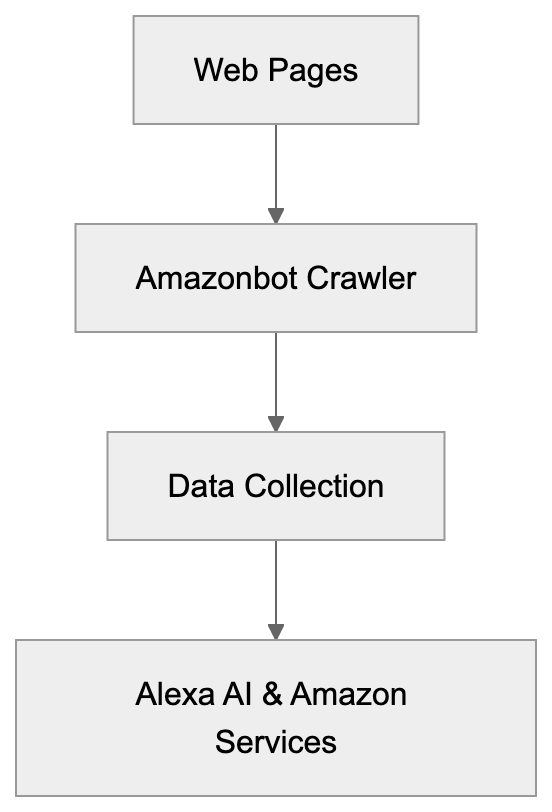
Amazonbot: Web Crawler for Alexa AI Complete Guide
Learn about Amazonbot web crawler, its role in Alexa AI, user-agent details, and how to manage or block its crawling activities on your site.

Legacy Anthropic-AI Crawler & ClaudeBot Evolution Guide
Learn about the legacy Anthropic-AI crawler, its transition to ClaudeBot, user-agent strings, and how to block it in robots.txt files.
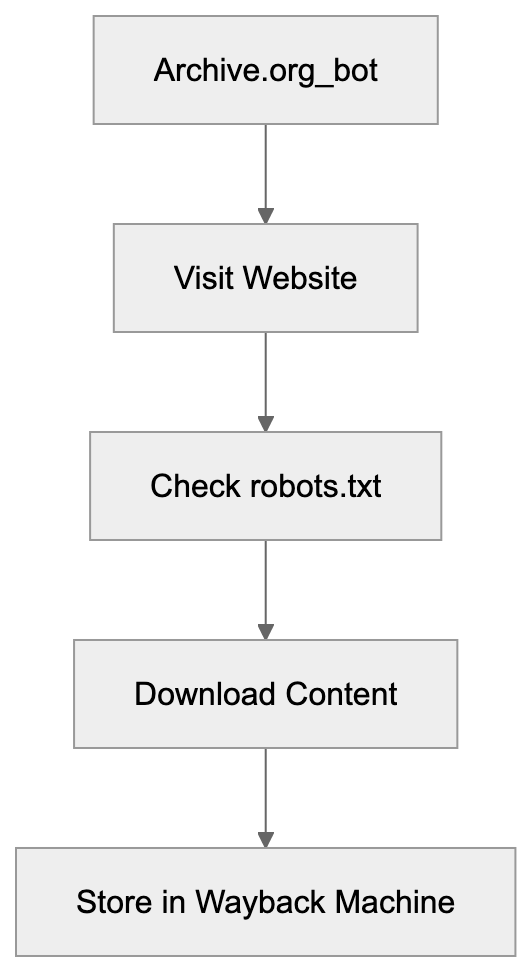
Understanding Archive.org_bot: Wayback Machine Crawler
Learn about Archive.org_bot, the Internet Archive crawler that preserves the web. Discover its purpose, how it works, and how to manage it.