How to Track Brand Mentions in AI Search
Table of Contents
- How to Track Brand Mentions in AI Search
- What AI Brand Visibility Tracking Measures
- Design a Prompt Set for AI Brand Visibility Tracking
- Build an AI Brand Visibility Baseline Across Answer Engines
- Calculate Reusable AI Brand Visibility Tracking KPIs
- Run a Weekly AI Brand Visibility Monitoring Workflow
- Add Open-Source AICW Tools to the Workflow
- AI Brand Visibility Tracking Tool Comparison
- Limits of AI Brand Visibility Tracking
- Conclusion
- How to Track Brand Mentions in AI Search
- What AI Brand Visibility Tracking Measures
- Design a Prompt Set for AI Brand Visibility Tracking
- Build an AI Brand Visibility Baseline Across Answer Engines
- Calculate Reusable AI Brand Visibility Tracking KPIs
- Run a Weekly AI Brand Visibility Monitoring Workflow
- Add Open-Source AICW Tools to the Workflow
- AI Brand Visibility Tracking Tool Comparison
- Limits of AI Brand Visibility Tracking
- Conclusion
How to Track Brand Mentions in AI Search
To track brand mentions in AI search you need a repeatable sampling system. Traditional tools scan existing pages. ChatGPT and Perplexity generate answers from user prompts. Google may generate an AI Overview for one search, but skip it for another.
That changes the measurement method. Teams must run controlled prompts and save answers, cited URLs, engine settings, and test conditions.
This guide covers AI brand visibility tracking across ChatGPT, Perplexity, and Google AI Overviews, including prompt design, baseline sampling, citations, share of voice, sentiment, competitors, dashboards, and weekly checks. It also addresses an awkward fact. No system can observe every answer that real users receive.
TL;DR: Use controlled prompts and repeat sampling to track brand mentions in AI search. Aim for a useful trend line, not a perfect census.
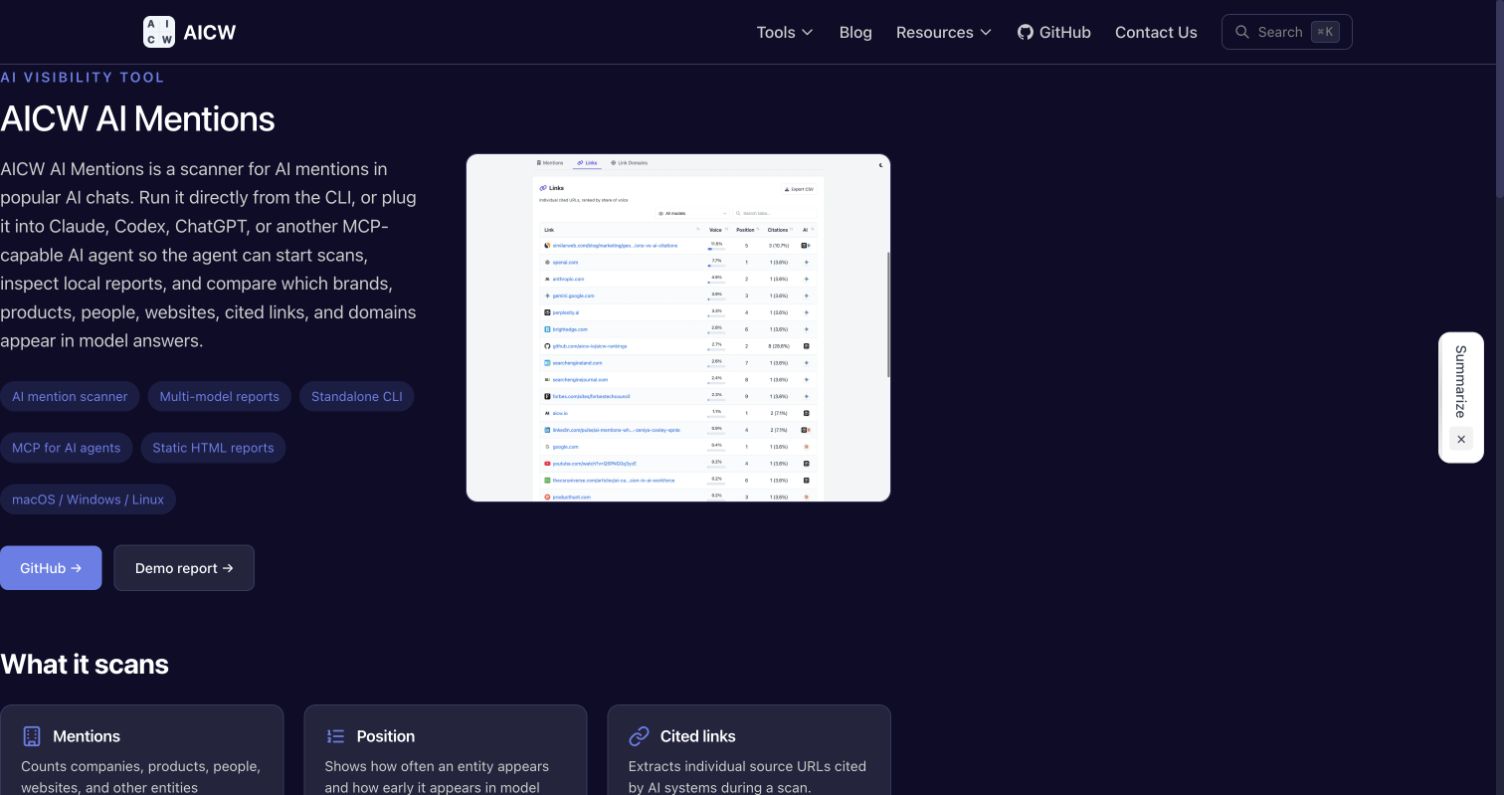
Screenshot: AICW AI Mentions, an open-source scanner for mentions, citations, and answer positions.
What AI Brand Visibility Tracking Measures
AI search monitoring measures generated answers rather than fixed search positions. Each prompt becomes an observation. The observation can contain a brand mention, recommendation, citation, comparison, or factual claim.
Outputs can vary by prompt wording, account, model, location, language, device, conversation history, and time. OpenAI confirms that ChatGPT Search can use general location data and may rewrite a question into several search queries. Its answers may show inline citations or a separate source panel. See the official ChatGPT Search guide.
Perplexity says its search answers include citations that link to original sources. This makes citation recording central to Perplexity brand monitoring. See Perplexity’s product explanation.
Record these fields:
- Prompt ID: A stable identifier that never depends on wording alone
- Engine: ChatGPT Search, Perplexity, or Google AI Overviews
- Test context: Country, language, account state, model, and device type
- Answer state: Generated answer, no AI Overview, error, or blocked request
- Brand presence: Named, implied, recommended, or absent
- Citation presence: Owned domain, third-party domain, competitor domain, or none
- Context: Positive, neutral, negative, mixed, or factually wrong
- Timestamp: Date and time in UTC
Keep mentions and citations separate. An answer can mention a company without linking to it. It can also cite a company page without naming the brand in the visible text. Both matter.
Design a Prompt Set for AI Brand Visibility Tracking
Your prompt set defines what AI brand visibility tracking can measure. Poor coverage creates polished dashboards with weak evidence.
Start with customer questions from search queries, support tickets, sales notes, site search logs, and product research. Remove personal data before moving any text into an external tool.
Group prompts by intent:
| Prompt group | Example | What it tests |
|---|---|---|
| Branded | What does Acme Analytics do? |
Entity recognition and factual accuracy |
| Category | Best analytics tools for small SaaS teams |
Unprompted brand discovery |
| Use case | How can I detect failed signup events? |
Problem and product association |
| Comparison | Acme Analytics vs ExampleMetrics |
Competitor framing |
| Validation | Is Acme Analytics suitable for healthcare data? |
Claims, limits, and risk context |
| Local | Analytics consultants near Toronto |
Location-sensitive visibility |
Do not name the brand in every prompt. Branded prompts measure recognition. Unbranded prompts measure discovery. An all-branded set will inflate visibility.
Create controlled variants by changing one meaningful factor at a time:
- Write the base prompt as a natural question.
- Add a use case without changing the product category.
- Add a company size or technical requirement.
- Add a country only when location affects the answer.
- Keep separate IDs for every variant.
Avoid minor punctuation variants, which add volume but little research value. Focus on distinct user needs.
Weight each prompt; a high-intent comparison may deserve more weight than a general definition. Document each weight before collecting results. Do not change weights after seeing which prompts favor the brand.
Review the prompt set every month. Keep a frozen core for trend analysis. Add a smaller discovery set for new products and customer language. This preserves comparability without freezing the study.
Build an AI Brand Visibility Baseline Across Answer Engines
A baseline provides a consistent reference using the same prompts across all selected engines.
A practical starting protocol uses three runs per prompt and engine, though this is not a universal standard. More repetitions reduce outlier effects but increase cost.
For 30 prompts across three engines, the design produces 270 observations:
30 prompts × 3 engines × 3 runs = 270 observations
Run repeats in new sessions. Keep the time window within one baseline period. Run repeats in separate conversations because prior messages can affect later answers.
Use this coverage plan:
| Surface | Record | Important control |
|---|---|---|
| ChatGPT Search | Answer text, ChatGPT brand mentions, cited URLs, recommendation status | Account state, memory, model, location, and search use |
| Perplexity | Answer text, brand position, cited URLs, source domains | Search mode, selected model, account, and location |
| Google AI Overviews | Overview shown or absent, answer text, brand mentions, linked pages | Country, language, device, account, and exact query |
Google AI Overviews monitoring needs a special denominator. Google does not show an AI Overview for every query, so track the trigger before brand presence. A missing overview differs from one that omits the brand.
Google Search Console has a generative AI performance report covering AI Overviews and AI Mode impressions for links to a verified site. It does not replace recorded answers or competitor sampling. Read Google’s generative AI report documentation before joining its data with manual tests.
Separate browser and API observations. APIs support scale and structured storage but may not reproduce the consumer interface or search behavior. Label each row’s collection channel.
Calculate Reusable AI Brand Visibility Tracking KPIs
Define formulas before reporting. Tools may use the same metric name with different denominators, making valid dashboards disagree.
Use a table like this as the data contract:
| KPI | Formula | Interpretation |
|---|---|---|
| Presence rate | Runs naming brand ÷ valid answer runs | How often answers mention the brand |
| Recommendation rate | Runs recommending brand ÷ valid answer runs | How often the brand enters a suggested set |
| Owned citation rate | Runs citing owned domain ÷ valid answer runs | How often first-party content supports answers |
| Citation share | Brand citation events ÷ all tracked brand citation events | Share of citations within the defined competitor set |
| Share of voice | Brand mention events ÷ all tracked brand mention events | Relative presence against named competitors |
| AI Overview trigger rate | Queries showing an overview ÷ Google query runs | How often Google generates an overview |
| Accuracy rate | Correct brand claims ÷ reviewed brand claims | Factual reliability of observed claims |
| Negative context rate | Negative brand mentions ÷ classified brand mentions | Frequency of adverse framing |
| Source concentration | Citations from top five domains ÷ all citation events | Dependence on a small source group |
Count one presence event per brand per answer to prevent repeated names from inflating share of voice. Keep separate raw counts when repetition matters.
For weighted share of voice, use this formula:
Weighted SOV = Σ prompt weight × brand presence ÷ Σ prompt weight × all tracked brand presence
State the competitor set beside the result because adding a competitor changes the denominator. Without that context, share of voice says little.
Sentiment needs human review because automated classifiers can miss negation and technical limits or mistake factual warnings for negative opinions. Use a short codebook:
- Positive: The answer recommends the brand or states a clear benefit
- Neutral: The answer gives factual information without judgment
- Negative: The answer states a defect, failure, or reason to avoid the brand
- Mixed: The answer contains material positive and negative claims
- Incorrect: The answer makes a claim that reliable evidence contradicts
Have two reviewers label a sample, resolve disagreements, and update the codebook. For serious research, report inter-rater agreement beside sentiment results.
A dashboard should show sample size, date range, and prompt-set version. Add confidence intervals when the sample supports them. Never hide the denominator behind one visibility score.
Run a Weekly AI Brand Visibility Monitoring Workflow
Weekly checks catch changes without constant manual testing. Run the fixed core prompts on the same weekday and in the same target markets.
Use this workflow:
- Freeze the weekly prompt file and competitor list.
- Run each prompt across the selected answer engines.
- Save raw answers, screenshots, citations, and collection metadata.
- Normalize brand aliases and citation domains.
- Calculate platform-level and combined metrics.
- Review new negative claims and factual errors by hand.
- Compare results with the baseline and prior four weeks.
- Open research tasks for material changes.
Do not react to one missing mention; check repeated observations first. A platform update or different source may cause a change that disappears on the next run.
The dashboard should contain four views:
- A trend view for presence, recommendation rate, and share of voice
- A platform view for ChatGPT brand mentions, Perplexity results, and Google results
- A source view for cited domains, URLs, and source concentration
- An issue view for wrong claims, negative context, and unresolved reviews
Save the raw evidence behind every chart. Researchers need to inspect each metric’s source answer. A screenshot alone prevents text analysis. When permitted, store the text and screenshot together.
Add Open-Source AICW Tools to the Workflow
Two open-source AICW tools cover different parts of this process. AICW AI Mentions runs repeatable scans across configured AI models and reports which brands, products, people, websites, cited links, and domains appear. Use its frequency and answer-position metrics to track whether a brand is mentioned and how early it appears, then compare reports over time.
AICW AI Visibility checks the technical visibility of a brand’s website or an individual web page. It audits crawler access, robots.txt, sitemaps, metadata, structured data, JavaScript rendering, and selected public-dataset presence. Use it to find technical barriers that may prevent AI crawlers from reaching or interpreting the pages you want cited.
The tools answer complementary questions: AICW AI Mentions shows whether AI systems mention or cite the brand, while AICW AI Visibility checks whether the underlying website or page is technically available to those systems. Both can run from the command line or as part of an agent workflow.
AI Brand Visibility Tracking Tool Comparison
Teams can start with a spreadsheet and automate as prompts, markets, or competitors grow.
| Option | Best fit | Confirmed capability | Main check before buying |
|---|---|---|---|
| Manual spreadsheet | Small baseline | Full control over prompt wording and coding | Labor cost and repeatability |
| OtterlyAI | Routine multi-engine checks | Tracks prompts, mentions, citations, and share of voice across several AI surfaces | Export depth and regional coverage |
| Peec AI | Competitor analysis | Reports visibility, sentiment, prompts, competitors, and cited sources | Supported engines and sampling method |
| Profound | Larger research programs | Tracks custom prompts, citations, sentiment, share of voice, and positioning | Pricing, raw exports, and browser recording scope |
| Semrush | Teams joining SEO and AI data | Tracks selected prompts across ChatGPT Search and Google AI surfaces | Exact platform and regional database coverage |
Because product coverage changes, verify current documentation before purchasing. Profound describes its prompt-driven collection in its Answer Engine Insights documentation. Peec publishes its share-of-voice definition. Semrush explains the data behind its AI Visibility Toolkit.
Use this selection checklist:
| Item | What to check | Why it matters |
|---|---|---|
| Engine coverage | Exact consumer surfaces and models | A generic model API may differ from the public product |
| Region controls | Country, language, and device support | AI answers can change by market |
| Raw evidence | Full answer text, timestamps, and screenshots | Aggregates cannot support a detailed audit |
| Citation export | Full URL and domain exports | Source analysis needs page-level data |
| Repetitions | Multiple runs per prompt | One run gives a weak estimate |
| Prompt versioning | History and immutable prompt IDs | Editing prompts can break trend comparisons |
| Competitor rules | Alias matching and denominator controls | Weak entity matching distorts share of voice |
| Data access | CSV, JSON, or API export | Researchers need independent analysis |
| Governance | Retention, roles, and deletion terms | Prompt data may contain business information |
Limits of AI Brand Visibility Tracking
No provider can track every brand mention across all user prompts and generated answers. The Shadow monitoring guide describes this as a sampling problem. Built In also notes that output changes with prompt wording, model choice, and time.
Show these limits beside the dashboard:
- The prompt set represents selected demand rather than all demand
- Personalization can make automated results differ from user results
- Location and account state can change retrieved sources
- Model and search updates can create breaks in a time series
- Citation links do not prove that a page caused the final wording
- Sentiment labels compress context and may hide factual nuance
- A detected change shows association rather than campaign causation
Treat AI brand visibility tracking as repeated measurement under documented conditions. Do not claim complete coverage or deterministic rankings.
Conclusion
A sound system to track brand mentions in AI search combines controlled prompts and raw evidence with repeat sampling, citation recording, competitor rules, human review, and clear formulas.
Prioritize three points:
- Keep prompts and test conditions stable
- Separate mentions, recommendations, and citations
- Report uncertainty with every trend
ChatGPT, Perplexity, and Google AI Overviews monitoring require slightly different controls. None gives complete coverage. Together, they provide a useful view of brand visibility when teams document every assumption.
Frequently Asked Questions
What information should we save for each AI search test?
Save the prompt ID, engine, answer text, cited URLs, timestamp, and relevant test conditions such as location, language, account state, model, and device. Also record whether the brand was mentioned, recommended, cited, or described inaccurately.
How should we create a reliable baseline for AI brand visibility?
Run the same prompt set across each selected engine within a consistent time window and use separate sessions for repeated tests. Three runs per prompt and engine is a practical starting point, although larger samples can reduce the effect of unusual answers.
How can we prevent branded prompts from overstating visibility?
Include category, use-case, comparison, validation, and location-based prompts that do not name the brand. Keep a frozen core set for trend comparisons and maintain a smaller discovery set for emerging customer questions.
When should a change in visibility trigger action?
Investigate changes that persist across repeated observations or appear across multiple prompts or engines. A single missing mention may be normal variation, so compare it with the baseline and recent weeks before changing strategy.
How should factual errors or negative brand claims be handled?
Review the original answer and its cited sources manually, then classify the issue using a consistent codebook. Prioritize materially incorrect claims and recurring negative themes, while preserving the raw answer and screenshot for verification.
Can API-based monitoring replace testing in consumer interfaces?
Not completely. APIs are useful for scale and structured collection, but their models, retrieval behavior, and settings may differ from the public ChatGPT, Perplexity, or Google experience. Label browser and API observations separately rather than combining them without qualification.
What should we verify before buying an AI visibility tracking tool?
Confirm its engine and regional coverage, repetition controls, prompt versioning, competitor matching, and access to full answers, citations, timestamps, and exports. Also review retention, permissions, and deletion terms because prompts may contain sensitive business information.
Can a team track every ChatGPT brand mention in AI search?
No. ChatGPT does not provide marketers with a global log of user answers. Teams can sample defined prompts and measure how often ChatGPT brand mentions appear under recorded conditions.
How often should we run Perplexity brand monitoring?
Run weekly for active marketing programs and daily during launches or issue reviews. Keep prompts and controls stable for comparable results.
What should Google AI Overviews monitoring count?
First count whether an overview appears, then record brand mentions, context, citations, and linked pages. Keep Search Console impressions separate from controlled prompt observations.
Is share of voice an AI ranking?
No. Share of voice measures mentions within defined prompt and competitor sets. Generated answers lack the stable rank of fixed search results.
Should citations and mentions use one metric?
No. Track them separately: a platform can mention a brand without citing it or cite an owned page without naming the company.
How many prompts do we need?
No universal number exists. Use enough prompts to cover major intents and customer groups. Add repetitions before adding weak prompt variants. Always report the sample size.