UTM Tagging Guide for Clean GA4 Campaign Data
Table of Contents
- UTM tagging for clean GA4 campaign data
- What does UTM stand for in Google Analytics?
- Google Analytics UTM parameters and their purpose
- How to use source, medium, and campaign
- When to use utm_term and utm_content in GA4 campaign tracking
- UTM naming conventions and governance
- Build a controlled UTM registry
- Build, encode, and test URLs for UTM tagging
- Redirects and short links
- Common UTM tagging mistakes, privacy, and GA4 reporting
- Find Google Analytics UTM parameters in GA4 reports
- Other campaign tracking systems
- Conclusion
- UTM tagging for clean GA4 campaign data
- What does UTM stand for in Google Analytics?
- Google Analytics UTM parameters and their purpose
- How to use source, medium, and campaign
- When to use utm_term and utm_content in GA4 campaign tracking
- UTM naming conventions and governance
- Build a controlled UTM registry
- Build, encode, and test URLs for UTM tagging
- Redirects and short links
- Common UTM tagging mistakes, privacy, and GA4 reporting
- Find Google Analytics UTM parameters in GA4 reports
- Other campaign tracking systems
- Conclusion
UTM tagging for clean GA4 campaign data
UTM tagging adds campaign data to links for accurate GA4 campaign tracking. GA4 reads that data when someone clicks a tagged link and visits your site. You can then compare traffic from email messages, paid campaigns, partner sites, social posts, research papers, and developer documentation.
This also matters for AI teams. A research group may promote one model release through GitHub, arXiv, newsletters, and conference pages. Without consistent tags, GA4 may split one campaign across many rows. It may also assign traffic to unclear sources.
A tagged URL uses plain query parameters. No special tracking service is required, but details matter. Capitalization and encoding matter. Redirects can remove parameters. Naming choices also affect GA4 reports.
TL;DR: Consistent UTM naming conventions, correctly encoded links, redirect testing, and GA4 verification produce clean campaign data. This guide covers the full process:
- Select the right Google Analytics UTM parameters
- Create strict naming rules
- Encode and test URLs
- Preserve tags through redirects
- Find campaign data in GA4
- Avoid privacy and data quality problems
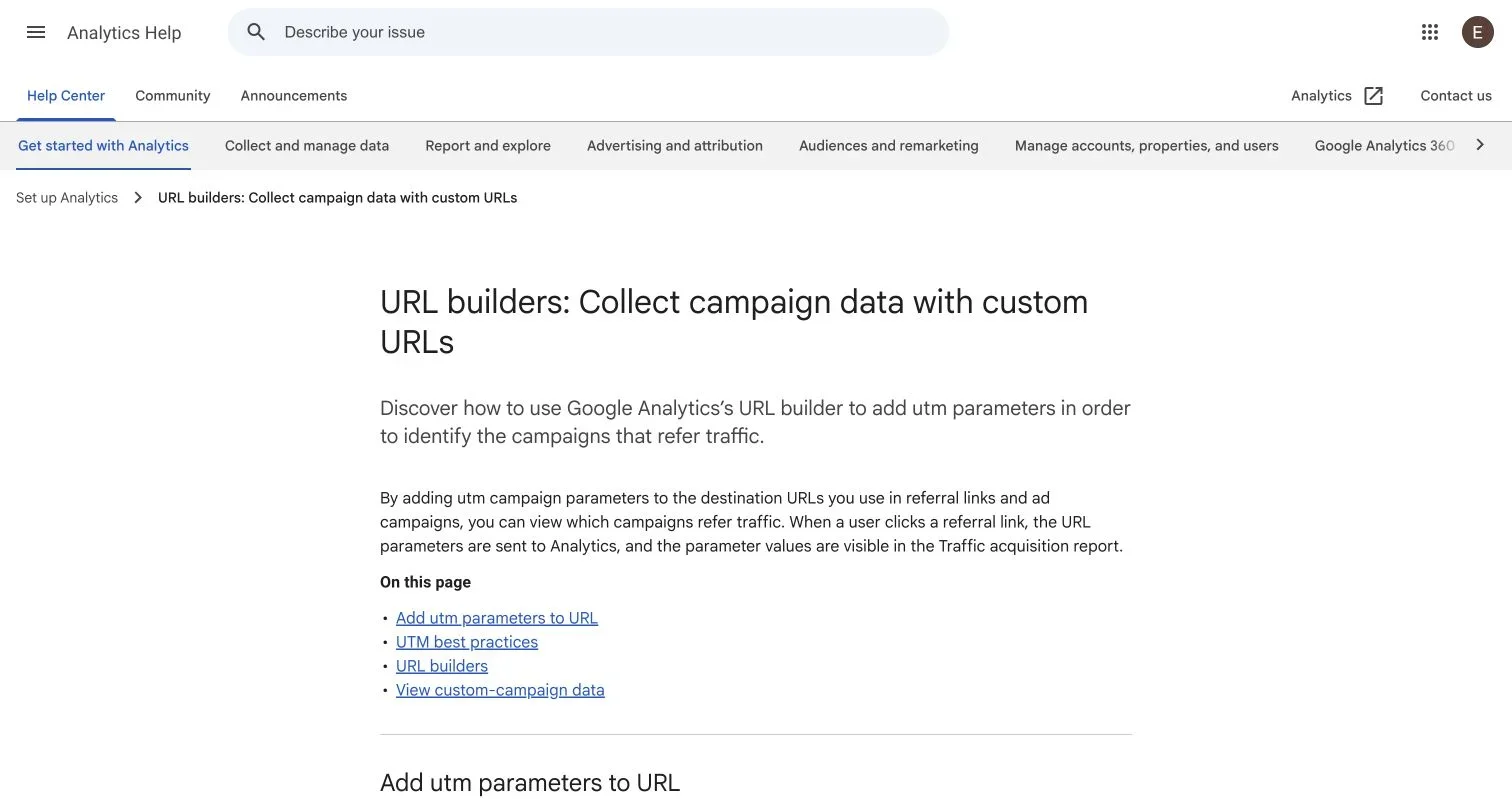
Source page reviewed in Chrome during article research. Follow the image link for the current page.
What does UTM stand for in Google Analytics?
UTM means Urchin Tracking Module. Urchin Software created an early web analytics system. Google acquired Urchin in 2005. The UTM name remains in campaign parameter names today.
UTM tagging does not create a cookie by itself. A UTM parameter is URL text. Your analytics setup decides what happens after the page loads. GA4 can collect the campaign values and connect them with acquisition dimensions.
Consider this tagged link:
https://example.org/model-card?utm_source=newsletter&utm_medium=email&utm_campaign=model_v3_release&utm_content=header_linkThe destination remains https://example.org/model-card; everything after ? is the query string. Each parameter has a name and a value. The & character separates the pairs.
The flow works like this:
Campaign system
      ↓
Tagged link with UTM parameters
      ↓
Browser requests the destination URL
      ↓
Redirects preserve the full query string
      ↓
GA4 tag reads campaign information
      ↓
GA4 processes acquisition dimensions
      ↓
Traffic acquisition report or Exploration
Keep every stage when turning this flow into a graphic. A redirect or collection failure can break the chain.
UTM tagging works best for links that you control outside your website. Examples include:
- Email newsletters
- Paid ads
- Social posts
- QR codes
- Partner links
- Downloadable reports
- Conference materials
- GitHub release announcements
Do not add campaign tags to ordinary internal navigation. An internal tagged link can replace the visitor’s original campaign context or create an inappropriate session attribution signal.
Google Analytics UTM parameters and their purpose
Google documents several campaign fields. Its current campaign URL guidance says that parameter values become visible in Analytics after someone clicks a referral link. The same page tells users to check the Traffic acquisition report for custom campaign data.
Source screenshot: Google Analytics Help. It shows the supported campaign parameters and notes about fields that GA4 does not currently report.
The main Google Analytics UTM parameters have distinct GA4 roles:
| Parameter | Purpose | Example value | Related GA4 dimension |
|---|---|---|---|
utm_source |
Identifies the referring platform or publisher | github |
Session source |
utm_medium |
Identifies the marketing channel | email |
Session medium |
utm_campaign |
Identifies the campaign | model_v3_release |
Session campaign |
utm_id |
Stores a campaign ID | cmp_2026_014 |
Session campaign ID |
utm_source_platform |
Identifies the platform that directed traffic | search_ads_360 |
Session source platform |
utm_term |
Identifies a paid keyword or other controlled term | open_source_llm |
Session manual term |
utm_content |
Distinguishes creatives or links | header_cta |
Session manual ad content |
Google also documents utm_creative_format and utm_marketing_tactic, but GA4 properties do not currently report them. Do not build a required reporting workflow around them unless Google changes that status.
Google recommends using utm_source, utm_medium, and utm_campaign together. It also recommends supplying all relevant parameters. Missing fields can produce (not set) values in reports.
How to use source, medium, and campaign
utm_source identifies where the visit came from. Use the actual platform or publisher. Use values such as github, arxiv, linkedin, and research_newsletter when defined in your governance file.
utm_medium identifies the link’s channel. Values often include email, cpc, paid_social, and referral. Choose one approved vocabulary. Do not mix variants like paid-social and paid_social.
utm_campaign groups links by initiative. An AI lab could use multimodal_benchmark_2026 across email, GitHub, and partner placements. Keep the same campaign value across every channel.
When to use utm_term and utm_content in GA4 campaign tracking
Google defines utm_term as the paid keyword or controlled targeting value supplied by an ad workflow. Keep the value free of personal data.
utm_content identifies which link, creative variant, or placement received the click within the same source, medium, and campaign.
Useful utm_content values include:
header_ctafooter_text_linkdiagram_variant_avideo_15sbenchmark_card
For two model-card links in one research newsletter, Give the first link utm_content=header_cta. Give the second utm_content=results_table. GA4 can distinguish the placements while other campaign values remain equal.
Do not put frequently changing or translated button text into utm_content without a naming rule. Stable placement or creative IDs usually produce cleaner data.
UTM naming conventions and governance
UTM tagging needs a shared contract. GA4 treats campaign values as case sensitive. Google gives a direct example: google and Google count as different values. Spaces, punctuation, abbreviations, and spelling cause similar problems.
Written UTM naming conventions prevent this fragmentation. Store them in a shared repository or data catalog. Assign one owner to approve new source and medium values. Teams can still create campaigns quickly within a known system.
Use this baseline policy:
| Item | What to check | Why it matters |
|---|---|---|
| Case | Use lowercase values | Email and email create separate values |
| Separator | Use underscores inside values | One separator reduces naming drift |
| Source | Use one approved name per platform | Aliases split platform totals |
| Medium | Use a controlled channel list | GA4 channel rules depend on source and medium data |
| Campaign | Use one stable campaign name | Variants split one initiative into several rows |
| Content | Identify the placement or creative | Stable IDs support clean comparisons |
| Term | Use a controlled keyword format | Consistent terms group correctly |
| Privacy | Exclude personal and sensitive data | URLs can appear in logs and browser history |
A compact naming pattern works well:
utm_campaign=<initiative>_<year>_<release>
utm_content=<placement>_<variant>
Example:
utm_campaign=reasoning_eval_2026_release
utm_content=results_chart_variant_b
Do not put every fact in one field. Source describes the publisher. Medium describes the channel. Campaign describes the initiative. Content describes the creative or placement. This separation supports filtering and later analysis.
Build a controlled UTM registry
A spreadsheet can suit a small team. For developers, a versioned YAML or JSON file supports reviews and automated checks.
A registry should record:
- Approved source values
- Approved medium values
- Campaign naming patterns
- Required parameters
- Optional parameters
- Campaign owner
- Creation date
- Planned retirement date
For example:
{
  "sources": ["github", "arxiv", "newsletter"],
  "mediums": ["referral", "email", "paid_social"],
  "required": ["utm_source", "utm_medium", "utm_campaign"]
}
A link generator can validate values against this registry. CI can scan documentation and campaign files for invalid capitalization, preventing later cleanup.
Build, encode, and test URLs for UTM tagging
UTM tagging follows standard URL query syntax. Start the first parameter with ?, join subsequent parameters with &, and separate each name and value with =.
If the destination already contains a query string, add UTM parameters with & instead of another ?.
Follow this process:
-
Start with the final destination URL.
-
Confirm that the page loads without campaign parameters.
-
Add
utm_source,utm_medium, andutm_campaign. -
Add
utm_id,utm_term, orutm_contentwhen the campaign needs them. -
Encode every parameter value with a standard URL encoder.
-
Open the final URL in a clean browser session.
-
Check the final address after every redirect.
-
Confirm collection in GA4 Realtime or DebugView when your access and consent setup allow it.
A safe JavaScript example uses the platform URL API:
const url = new URL("https://example.org/research/model-card");
url.searchParams.set("utm_source", "github");
url.searchParams.set("utm_medium", "referral");
url.searchParams.set("utm_campaign", "model_v3_release");
url.searchParams.set("utm_content", "readme_badge");

console.log(url.toString());
URLSearchParams handles percent encoding. This matters for spaces, plus signs, slashes, non-ASCII text, and other reserved characters.
An encoder may represent a query-value space as %20 or +. Do not replace encoded characters by hand. Use one URL library across the system.
Redirects and short links
Redirect services can preserve or break UTM tagging. Test the whole chain.
A redirect should pass the original query string to the next URL. Some systems drop unknown parameters. Others replace it with a fixed destination. A link shortener may store UTM values in its destination instead of accepting them at click time.
Check these cases:
- HTTP to HTTPS redirects
wwwto non-wwwredirects- Regional routing
- Authentication redirects
- App deep links
- Link shorteners
- Consent management flows
Inspect each Location header with browser network tools or a command-line HTTP client. The final URL should retain the parameters when GA4 initializes.
A visible final URL does not prove collection. Consent settings, tag conditions, ad blockers, and JavaScript errors can still stop the analytics request.
Common UTM tagging mistakes, privacy, and GA4 reporting
Most UTM problems come from inconsistent input, not GA4. A campaign builder should reject bad values before anyone publishes a link.
| Mistake | Result | Fix |
|---|---|---|
| Mixed case | GA4 creates separate dimension values | Convert all approved values to lowercase |
| Missing medium | Reports may show (not set) |
Require the core parameter set |
| Two campaign spellings | One campaign splits across rows | Select names from a registry |
| Internal UTM links | Original attribution can change | Track internal clicks with events |
| Raw spaces | Links become hard to copy and audit | Encode values with a URL library |
| Lost query string | Redirect removes campaign data | Test every redirect hop |
| Personal data in tags | Sensitive text spreads through URLs | Use non-personal IDs and categories |
Reused utm_content |
Creative results become ambiguous | Assign stable placement or asset IDs |
URLs can reach browser history, server logs, analytics systems, support tickets, proxies, and copied messages. Never put names, email addresses, user prompts, account numbers, or research participant IDs into Google Analytics UTM parameters.
GA4 data collection rules still require consent checks and legal review. Configure analytics for your site’s requirements and operating regions.
Find Google Analytics UTM parameters in GA4 reports
Google directs users to Reports > Acquisition > Traffic acquisition for session campaign data. The report can show dimensions such as Session source, Session medium, Session source / medium, and Session campaign.
Use this reporting sequence:
-
Open the GA4 property that receives data from the tagged site.
-
Go to Reports.
-
Open Acquisition.
-
Select Traffic acquisition.
-
Change the table’s primary dimension to Session source / medium or Session campaign.
-
Add a secondary dimension when the report supports the comparison you need.
-
Filter to the campaign value from your tagged URL.
utm_content maps to manual ad content dimensions rather than the standard source and medium rows. Use an Exploration if the default report lacks the needed combination. Pair Session manual ad content with Session campaign and Session source / medium.
Use session-scoped dimensions for traffic acquisition analysis. User acquisition reports focus on the user’s first source; Traffic acquisition focuses on sessions.
GA4 processing can take time. Realtime and DebugView help verify setup; standard reports support analysis after processing. Do not judge campaign performance from one test click.
Other campaign tracking systems
UTM tagging works across analytics and campaign tools, but reporting differs by product.
| System | Relationship to UTM tags | Main difference |
|---|---|---|
| GA4 | Reads manual campaign parameters | Connects them with GA4 acquisition dimensions |
| Adobe Analytics | Can ingest campaign query values through its setup | Often uses a setup-defined tracking code |
| Matomo | Supports campaign URL parameters | Reporting stays inside a self-hosted or cloud Matomo setup |
| Plausible | Supports tagged campaign links | Uses a simpler analytics model |
| PostHog | Can record campaign properties | Connects acquisition data with product events |
Check current product documentation before reusing a GA4 field map. Parameter support and dimension names can differ.
Conclusion
UTM links are simple; governance is harder. Use utm_source, utm_medium, and utm_campaign as the core. Add utm_term for controlled keyword data. Add utm_content for creative or placement comparisons.
Keep values lowercase. Use one separator and one approved vocabulary. Encode links with a URL library. Test every redirect. Never place personal or sensitive information inside campaign parameters.
Verify campaign results in GA4’s Traffic acquisition report. Use session-scoped manual campaign dimensions when you need deeper analysis. A small registry and automated validation keep campaign data clean as more teams and AI projects create links.
Frequently Asked Questions
Which UTM parameters should every campaign link include?
Include utm_source, utm_medium, and utm_campaign as the core set. Add utm_content to compare placements or creatives and utm_term only when you have a controlled keyword or targeting value.
Should I add UTM parameters to links within my own website?
No. Internal UTM links can overwrite or distort the campaign context that brought a visitor to the site. Track internal navigation and calls to action with GA4 events instead.
Why does one campaign appear as multiple rows in GA4?
GA4 treats differences in capitalization, spelling, punctuation, and separators as distinct values. Use lowercase values and select names from a shared UTM registry to keep each campaign grouped consistently.
How can I tell whether a redirect preserves UTM parameters?
Open the complete campaign URL and inspect the address after every redirect, including short links, regional routing, and authentication flows. The final destination should retain the query parameters, but you should also confirm collection in GA4 Realtime or DebugView because a visible URL alone does not prove that the analytics request was sent.
Where can I find UTM campaign data in GA4?
Open Reports > Acquisition > Traffic acquisition, then use a session-scoped dimension such as Session source / medium or Session campaign. For placement-level analysis, use an Exploration with Session manual ad content alongside the campaign and source dimensions.
How soon should a test click appear in GA4?
Realtime and DebugView are the best places to verify a new tagged link soon after clicking it, subject to consent settings and tag configuration. Standard acquisition reports may take longer to process, so do not diagnose performance or tracking quality from a single immediate test.
What information should never be placed in UTM parameters?
Never include names, email addresses, account numbers, user prompts, research participant identifiers, or other personal or sensitive data. UTM values can spread through browser history, server logs, support records, proxies, analytics platforms, and copied messages, so use non-personal campaign and asset IDs instead.